CUKTECH 15 Air PB150S Power Bank 12 Month Review
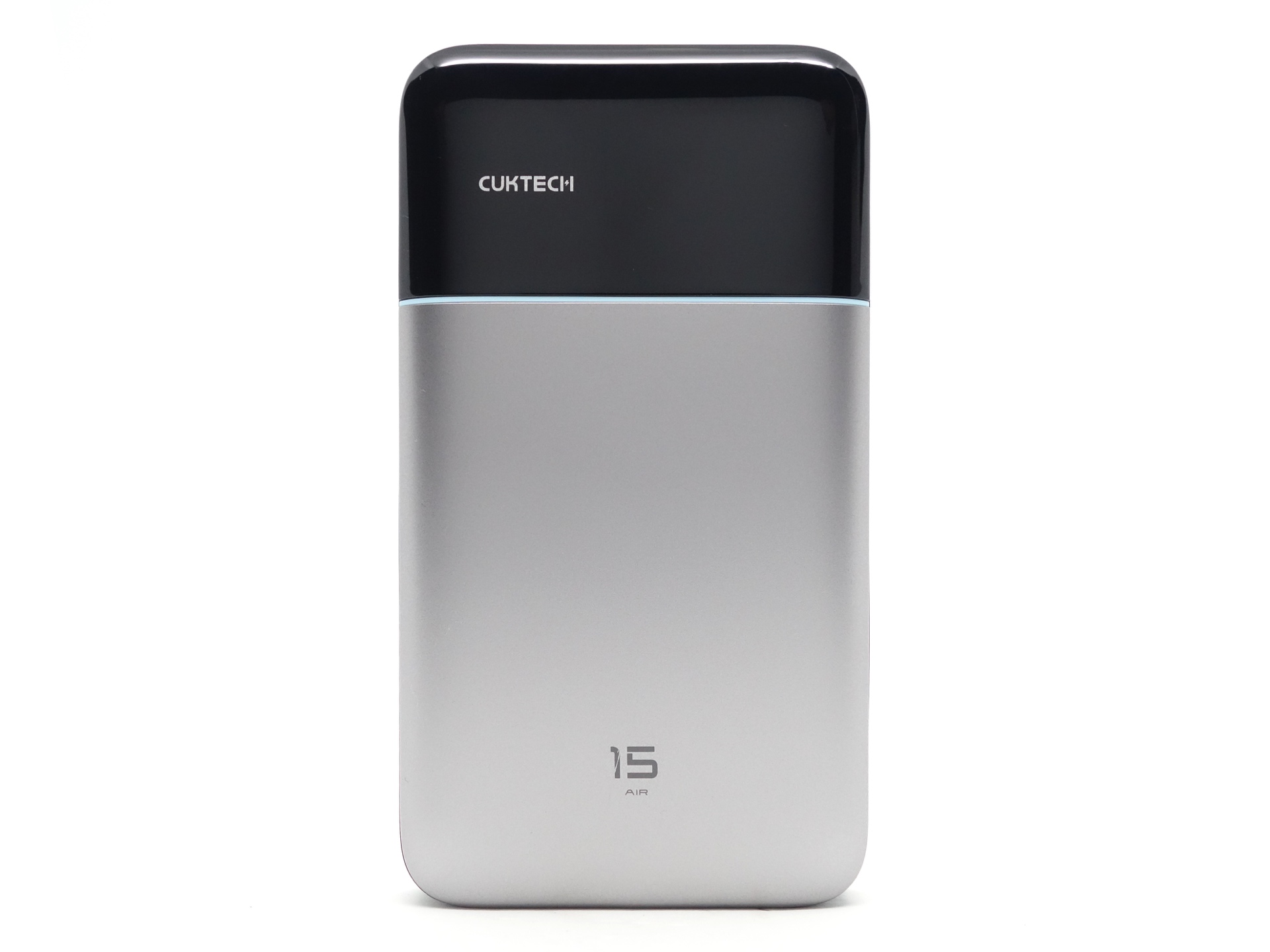
CUKTECH PB150S#
- Specifications
- Introduction
- Powerbank in use
- Cable
- Size and comparison
- Compatibility
- User interface
- Tests
- Thermal Images
- Conclusion
- Price
- Product page
Specifications#
| Brand/model | CUKTECH 15 Air PB150S |
|---|---|
| Batteries | LiPo |
| Capacity | 15,000 mAh |
| Energy (Rated/Typical) | 57.75Wh/58.32Wh (11.55V 5000mAh/5050mAh) |
| Output Capacity | 8,800 mAh (5V/3A) |
| IN1 USB-C | 5V/3A, 9V/3A, 12V/3A, 15V/3A, 15V/3A, 20V/5A 100W MAX |
| OUT1 USB-C | 5V/3A, 9V/3A, 12V/3A, 15V/3A, 20V/3.25A, 5-11V/6.1A, 5-20V/4.5A 90W MAX |
| OUT2 USB-C | 5V/3A, 9V/3A, 5-11V/3A 33W MAX |
| OUT3 USB-A | 5V/3A, 9V/3A, 5-11V/3A 33W MAX |
| Multi-port | 5V/6A 30W (OUT1 5V/3A, OUT2 5V/1.5A, OUT3 5V/1.5A), 9V/9A 81W (OUT1 9V/6A, OUT2 9V/3A), 11V/9.1A 100W (OUT1 11V/6.1A, OUT2 11V/3A) |
| Max Multi-port | 100W (OUT1 11V/6.1A, OUT2 11V/3A) |
| Cable | CUKTECH 0.35m USB-C to USB-C 6A with e-marker (50V 5A, 240W EPR) |
| Low-current mode | Yes |
| Pass-through charging | Yes |
| 3C mark | No |
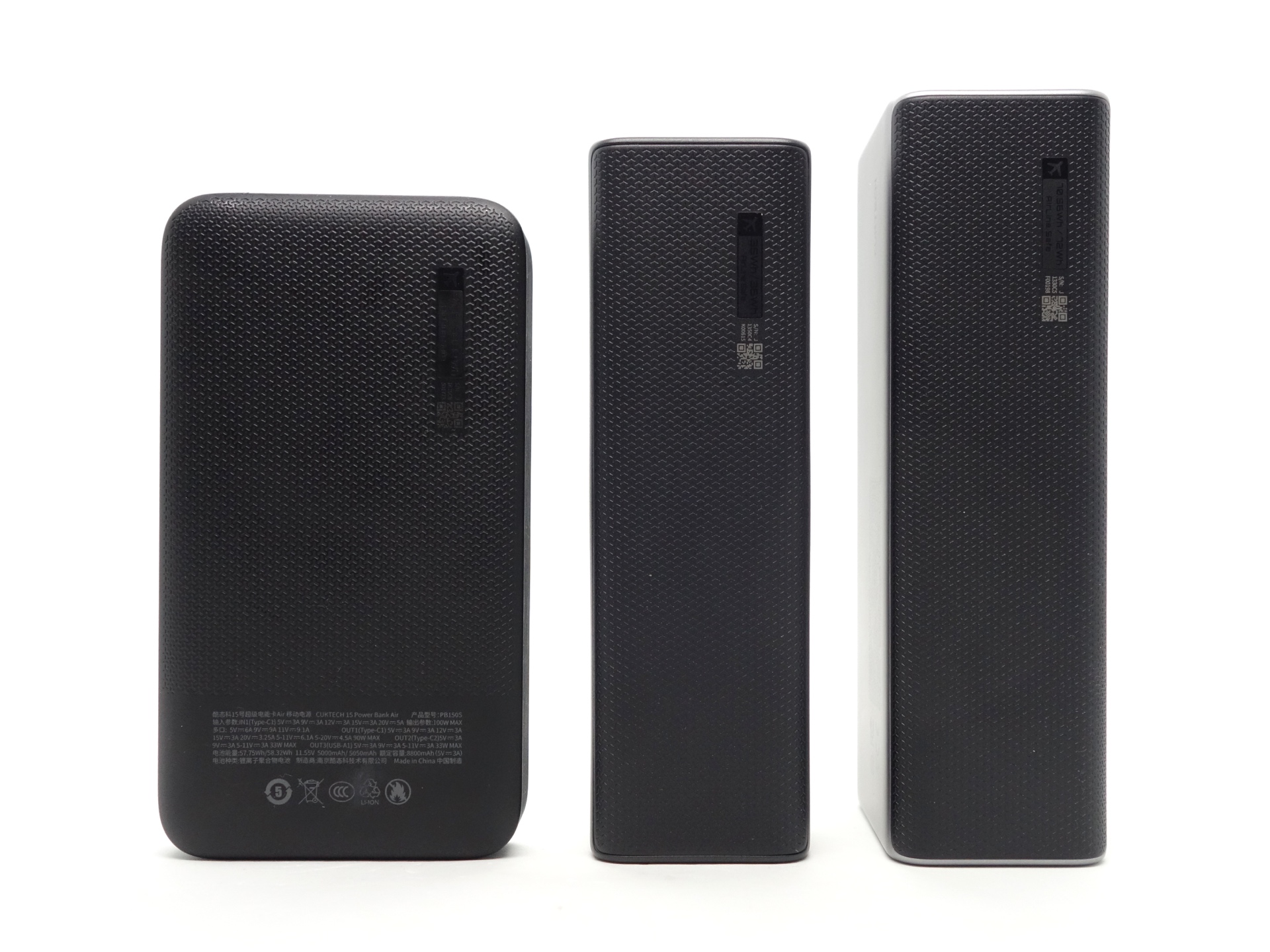
| Dimensions | 132.1*72*21mm |
| Weight | 311g |
| Review date | October 2026 |
Introduction#
I have had this powerbank for over 12 months and it is still going strong!
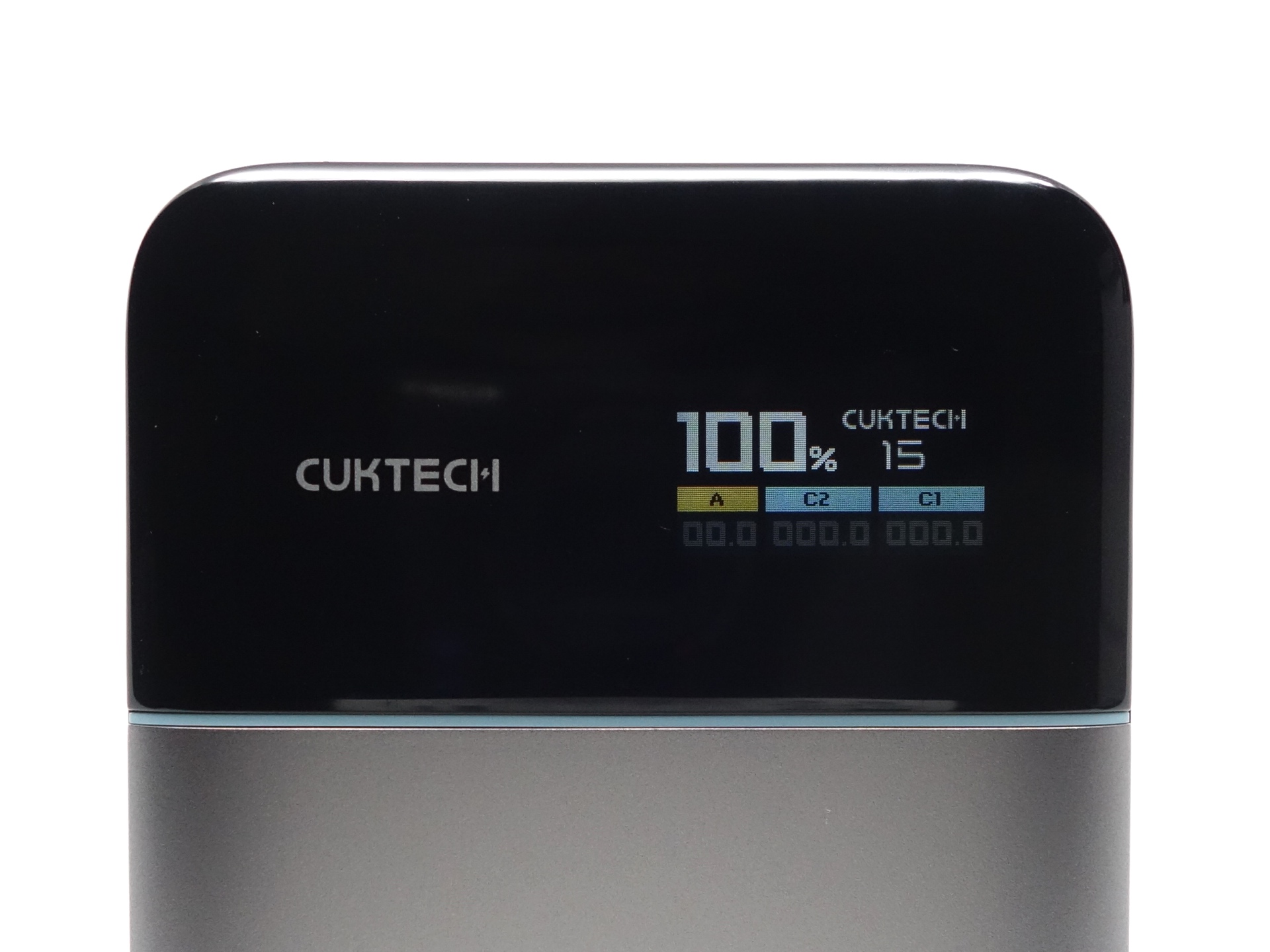
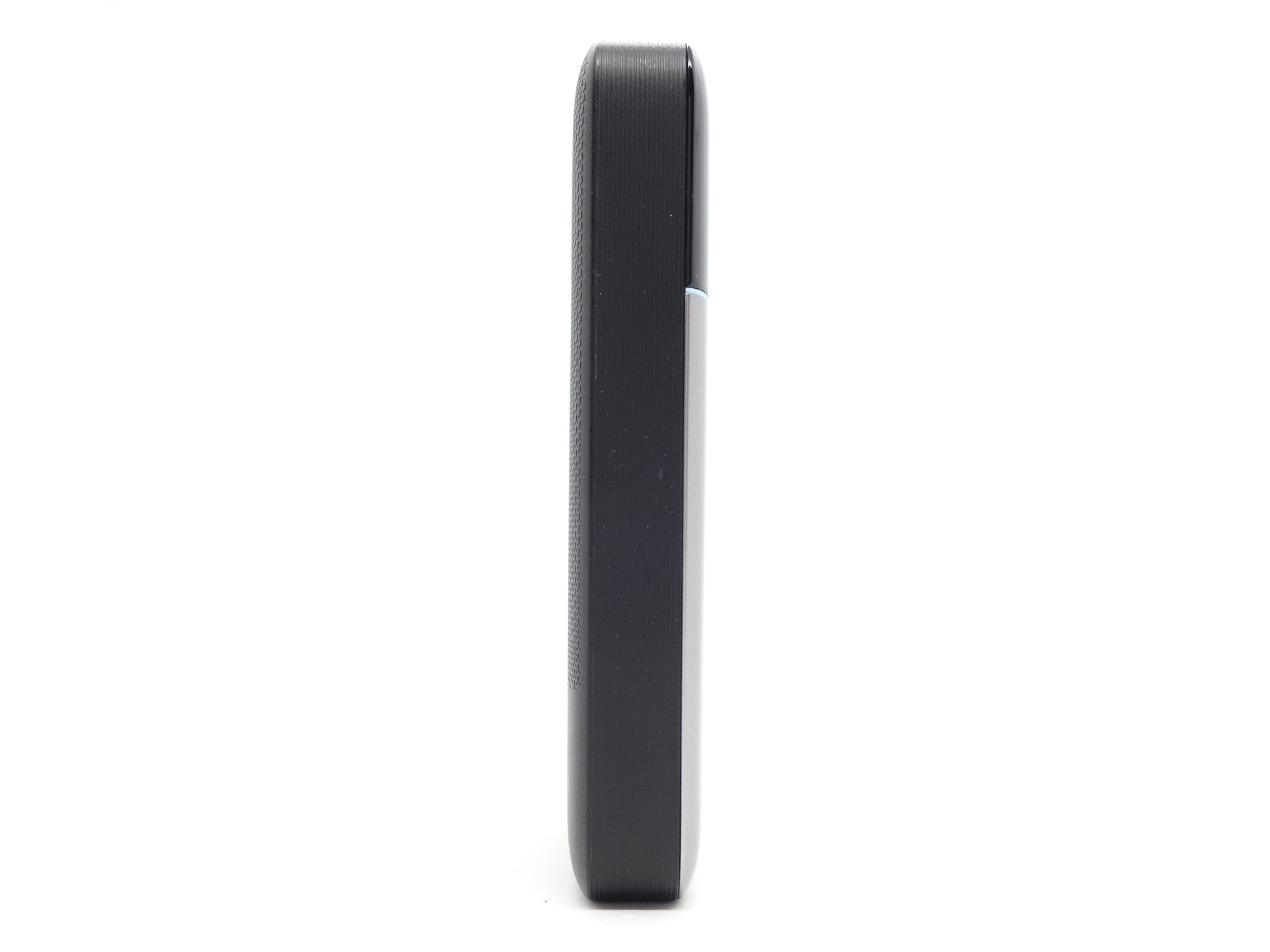
The CUKTECH 15 Air PB150S Power Bank has two USB-C ports, one USB-A port, a rotatable colour display, and a button to control it. It is relatively thin with a LiPo battery and it can be fast charged and discharged.
I bought this powerbank while visiting China in September 2025 because:
- It is thin and fits in my pocket with my phone.
- It quickly charges my phone.
- It can be charged quickly.
- It has the CCC mark.

Before buying the CUKTECH 15 Air, I bought a Xiaomi wireless powerbank. I wanted to like it. It was small, compact, and it magnetically stuck to my phone. But it was too slow and it made my phone get too warm.
I considered getting another compact powerbank with a built-in USB-C cable. But the risk of the cable breaking due to wear and tear was too big for me to take the chance. I wanted something that will last for years.
I ended up buying the CUKTECH 15 Air and a 0.15m CUKTECH 6A cable (it already comes with a 0.35 metre cable but I wanted something even shorter).
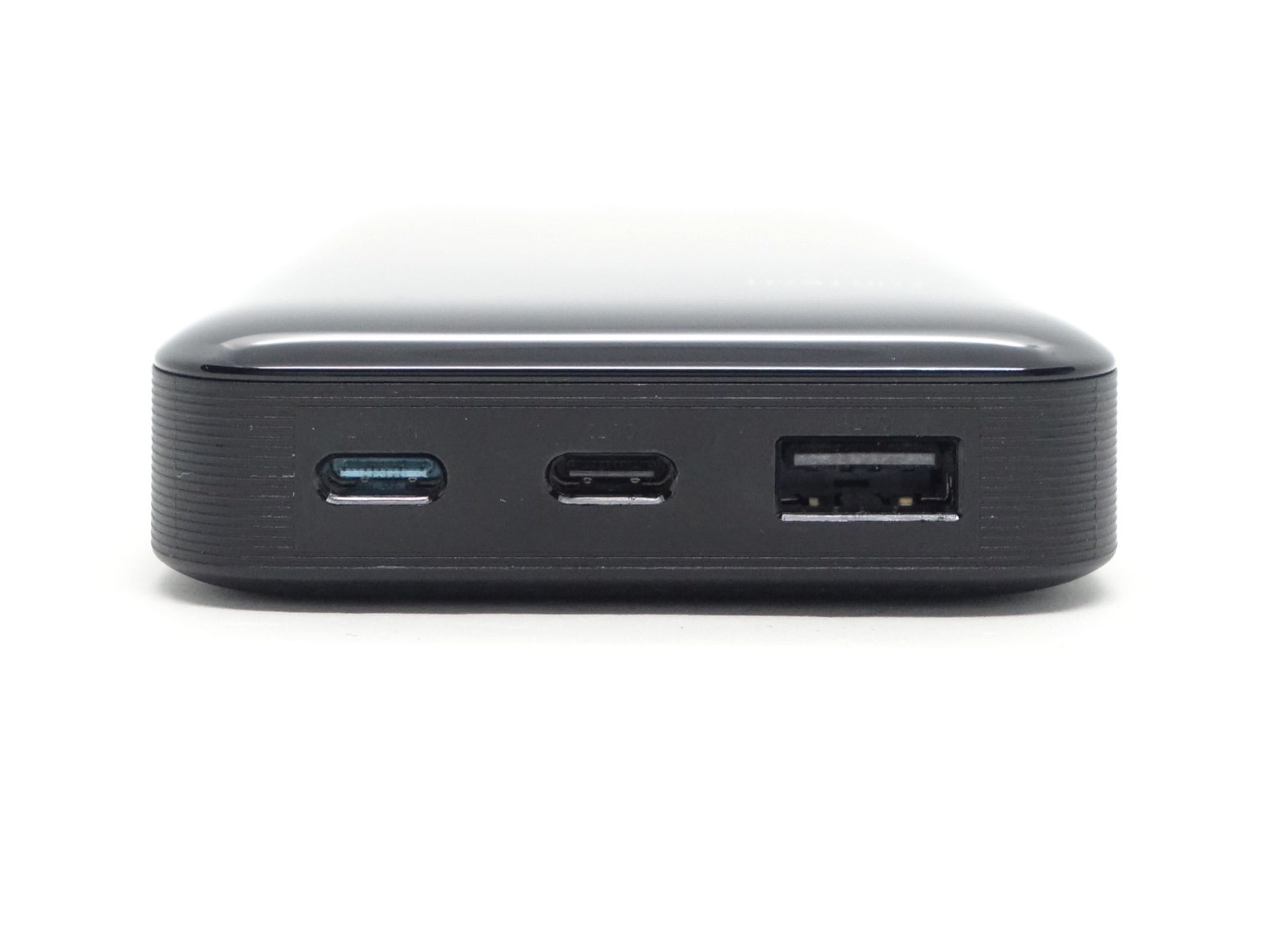
The first USB-C port supports fast charging (100W input) and discharging (90W output).
The second USB-C port and the USB-A port are output only.
You can get 100W output by using both USB-C ports at the same time: OUT1 11V/6.1A, OUT2 11V/3A.
The powerbank has a conversion efficiency of 75.4% at 5V/3A.
Battery pack: 11.55 V * 5.05 Ah = 58.32 Wh total energy.
USB output: 5 V * 8,800 mAh = 44 Wh usable energy.
Conversion efficiency: 44 Wh / 58.32 Wh = 75.4%
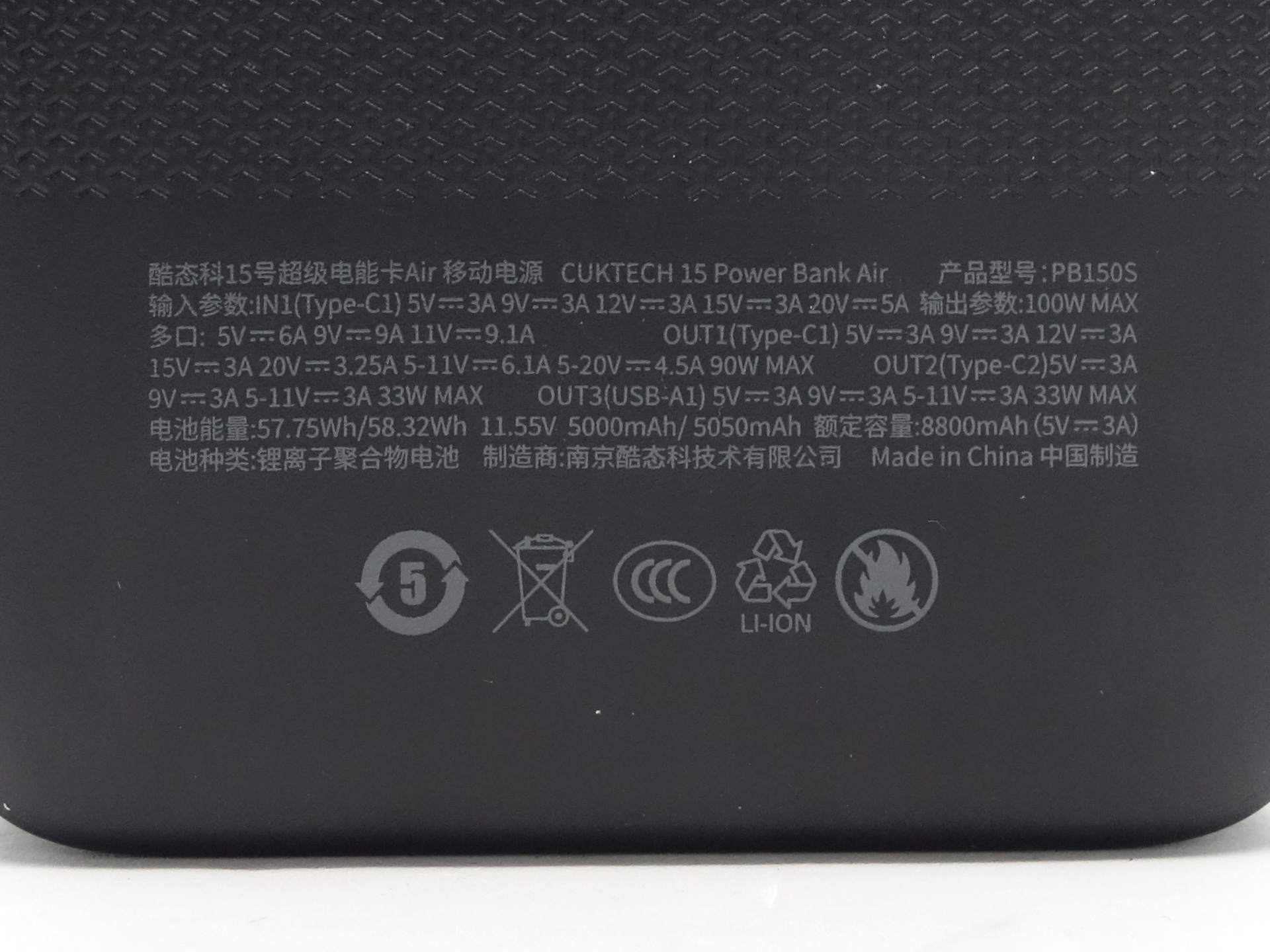
The back of the powerbank mentions an Output Capacity of 8,800mAh (5V/3A).
The typical energy is 57.75 Wh (11.55V*5000mAh), as noted on the powerbank, the box and the user manual. This is useful for airlines. It has a 3C mark for flying within China.
Packaging#
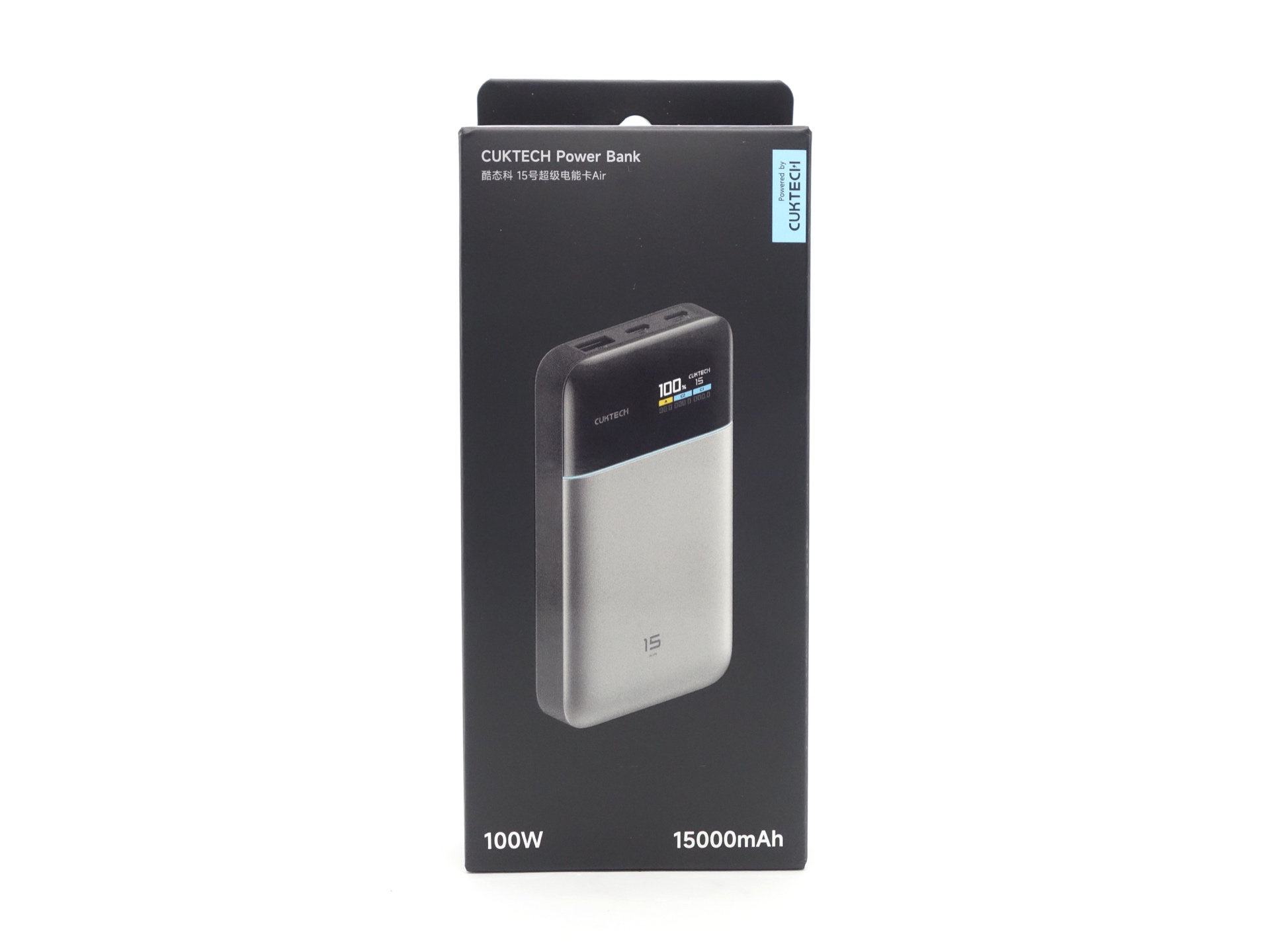
The CUKTECH 15 Air comes in a fancy box with an image of the powerbank on the front and specifications on the back.
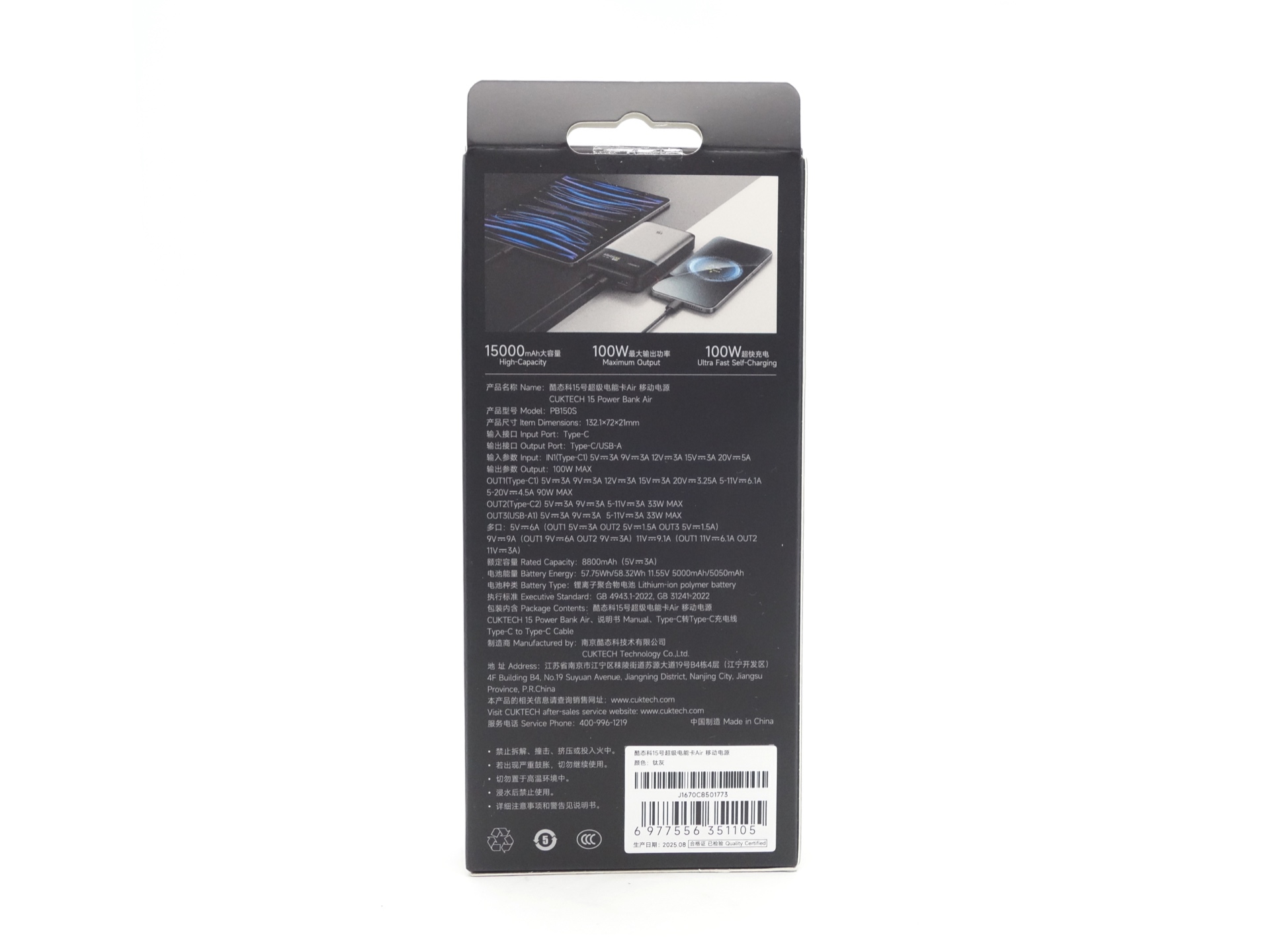
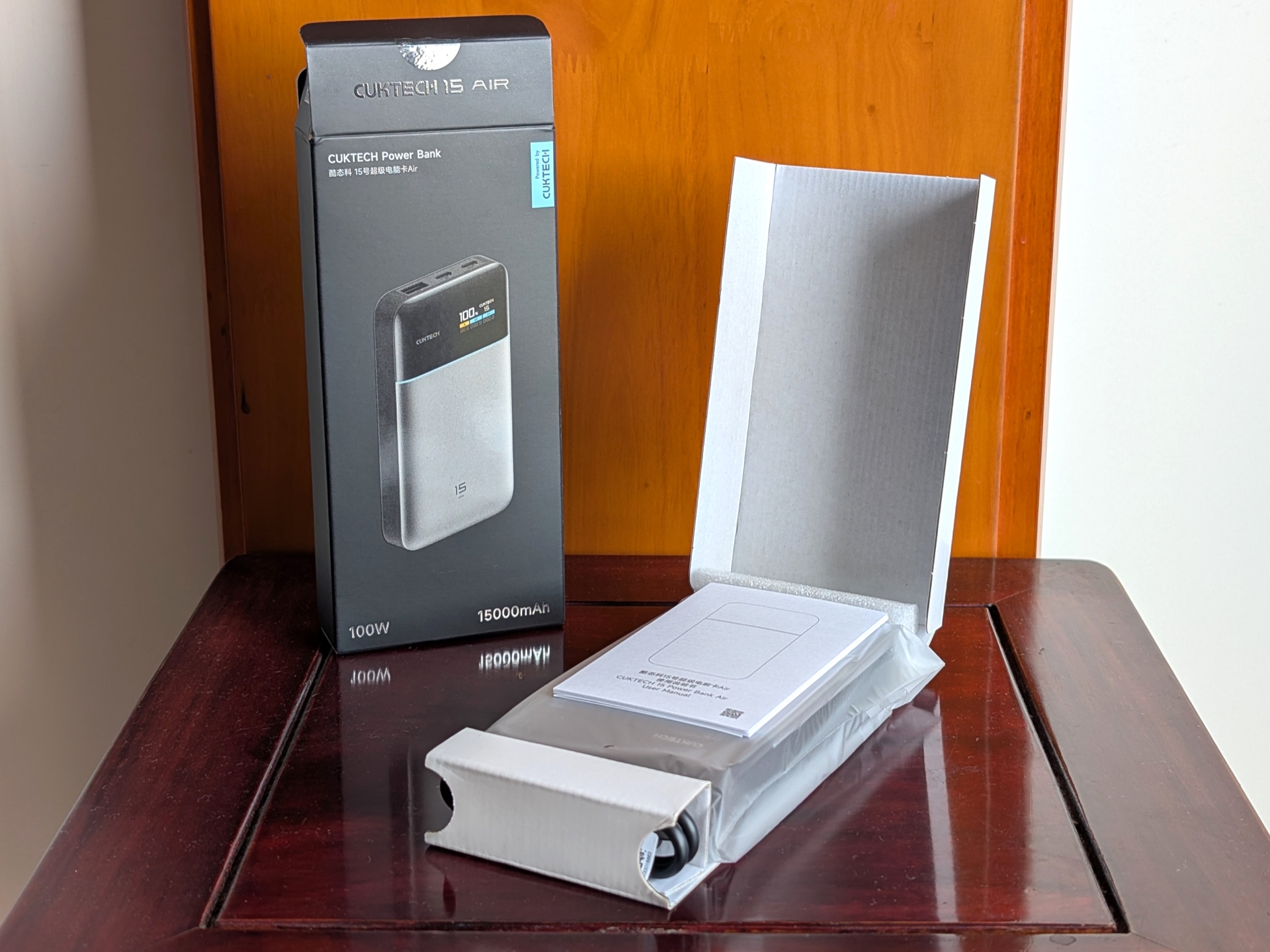
The following was included in the box:
- CUKTECH PB150S.
- USB-C to USB-C 6A cable.
- User manual.
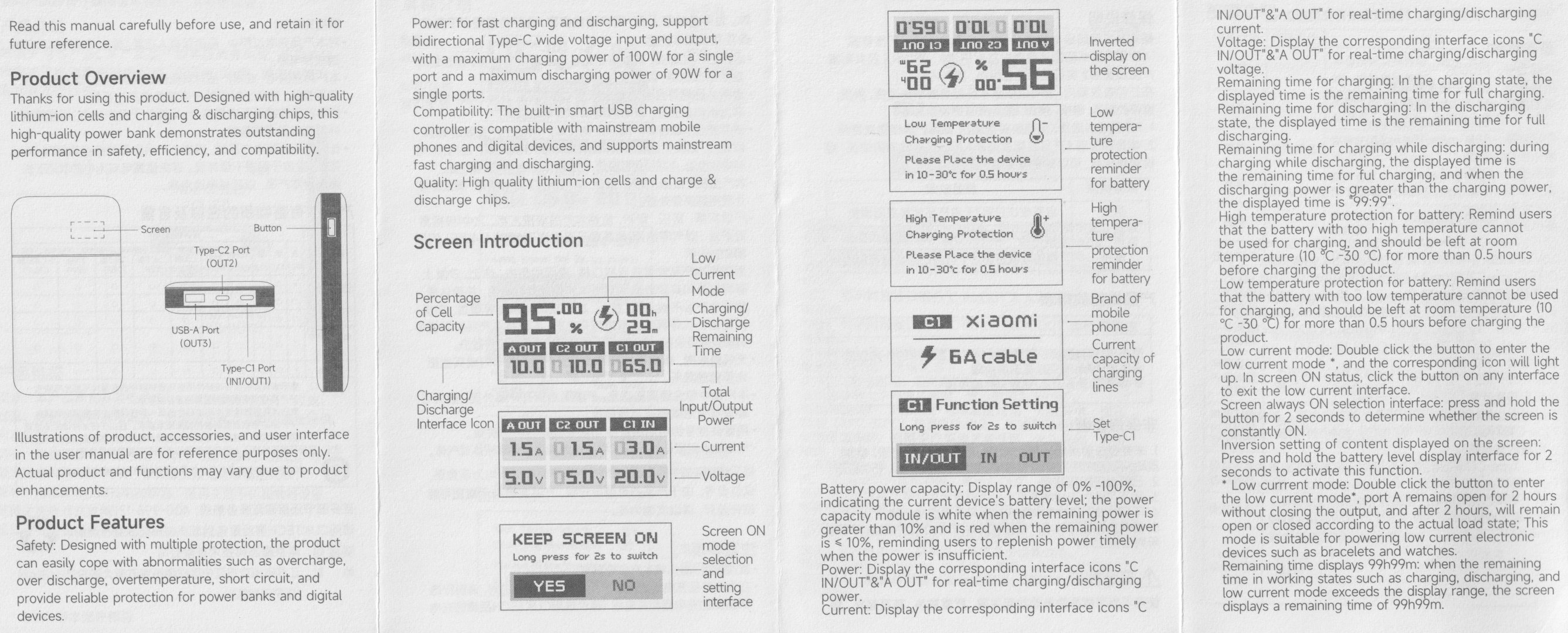
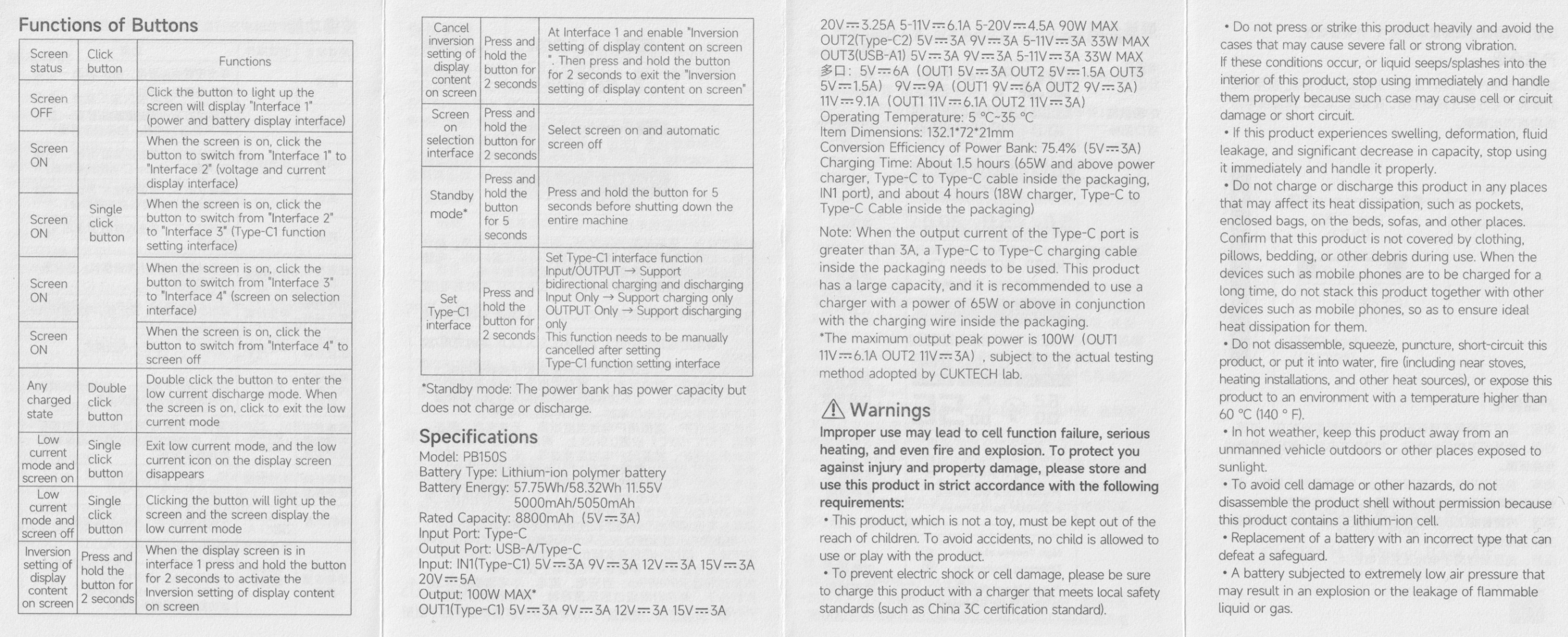
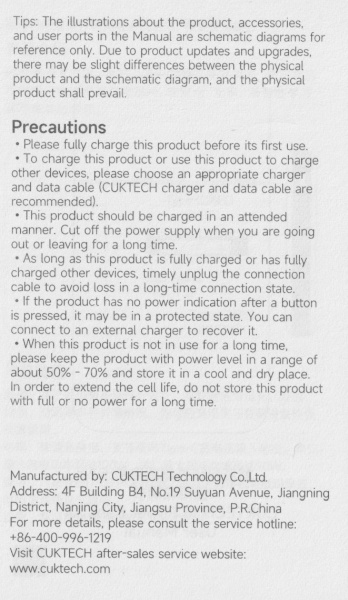
User Manual#
Powerbank in use#
For the past 12 months, I have been carrying this powerbank in my backpack to work each week to keep my phone charged. It is compact enough to easily fit in a pocket in my backpack. I can run a short USB-C to USB-C cable from one pocket to another where my phone is stored.
The powerbank usually has more than 50% of the capacity remaining by the time I get home.
I have got into the routine of taking the powerbank out when I get home and plugging it in to a charger so that it is ready for the next day.
The CUKTECH 15 Air has helped me provide a bit of juice to a laptop during a power outage.
It can fit in my pocket with my phone but I try to avoid charging my phone in this situation because I do not want to bend the USB-C cable too much. It seems safer to charge in a backpack where the pockets are organised and the cable is not under as much pressure. It is also slightly cooler compared to being pressed against my leg in my pants.
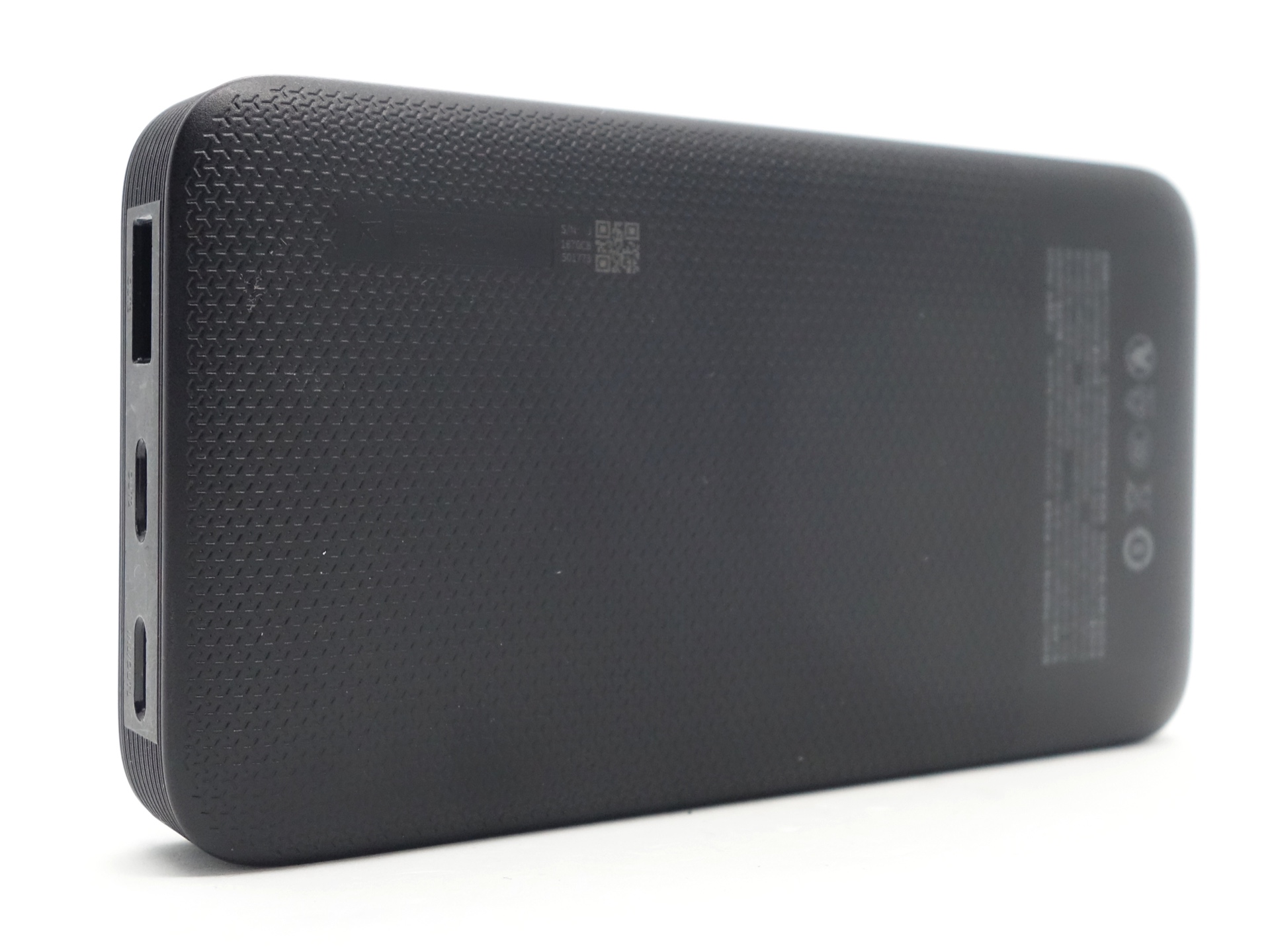
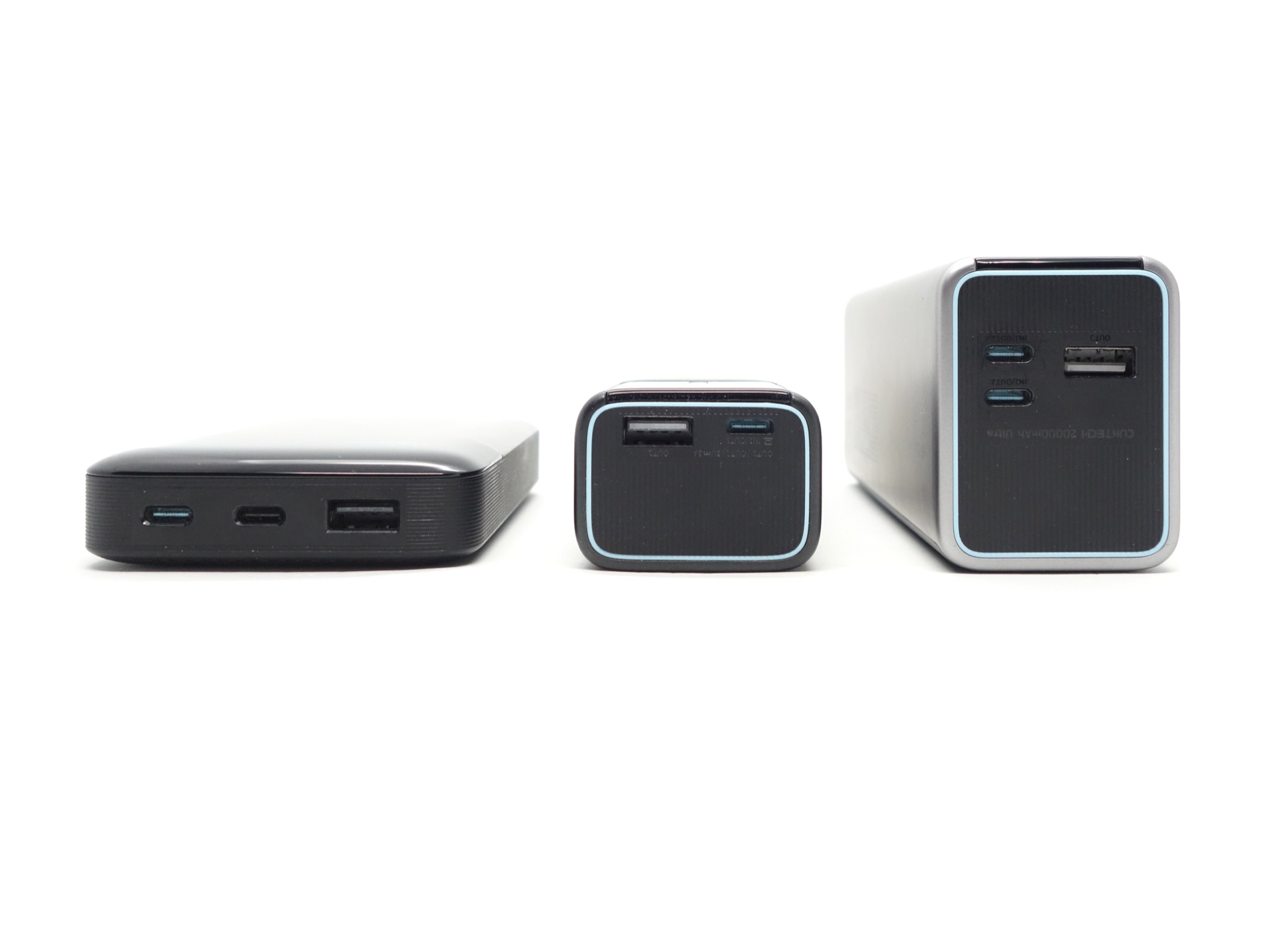
Two USB-C ports can be used for input and output, while the USB-A port is for output only.
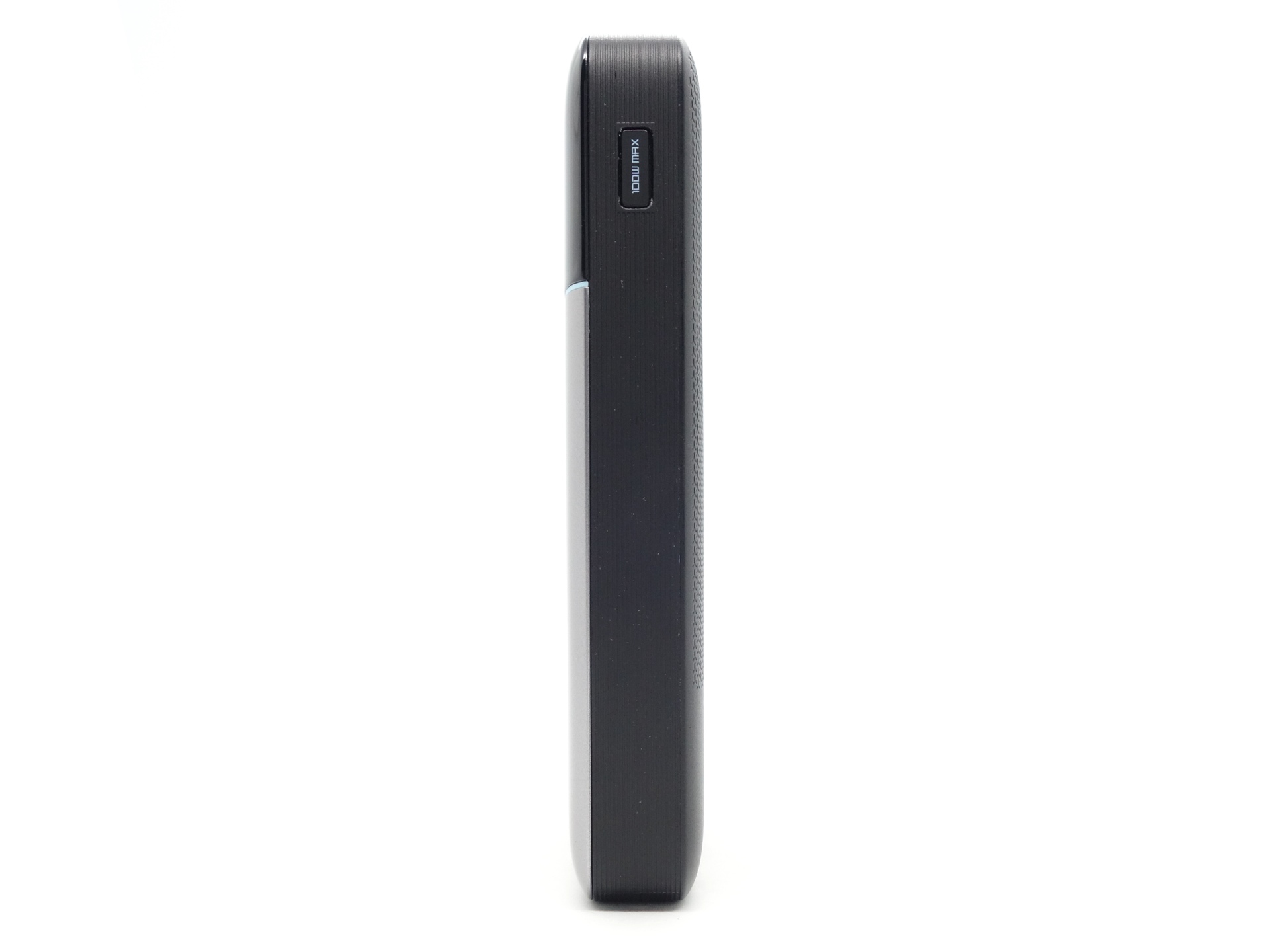
The powerbank can tailstand.
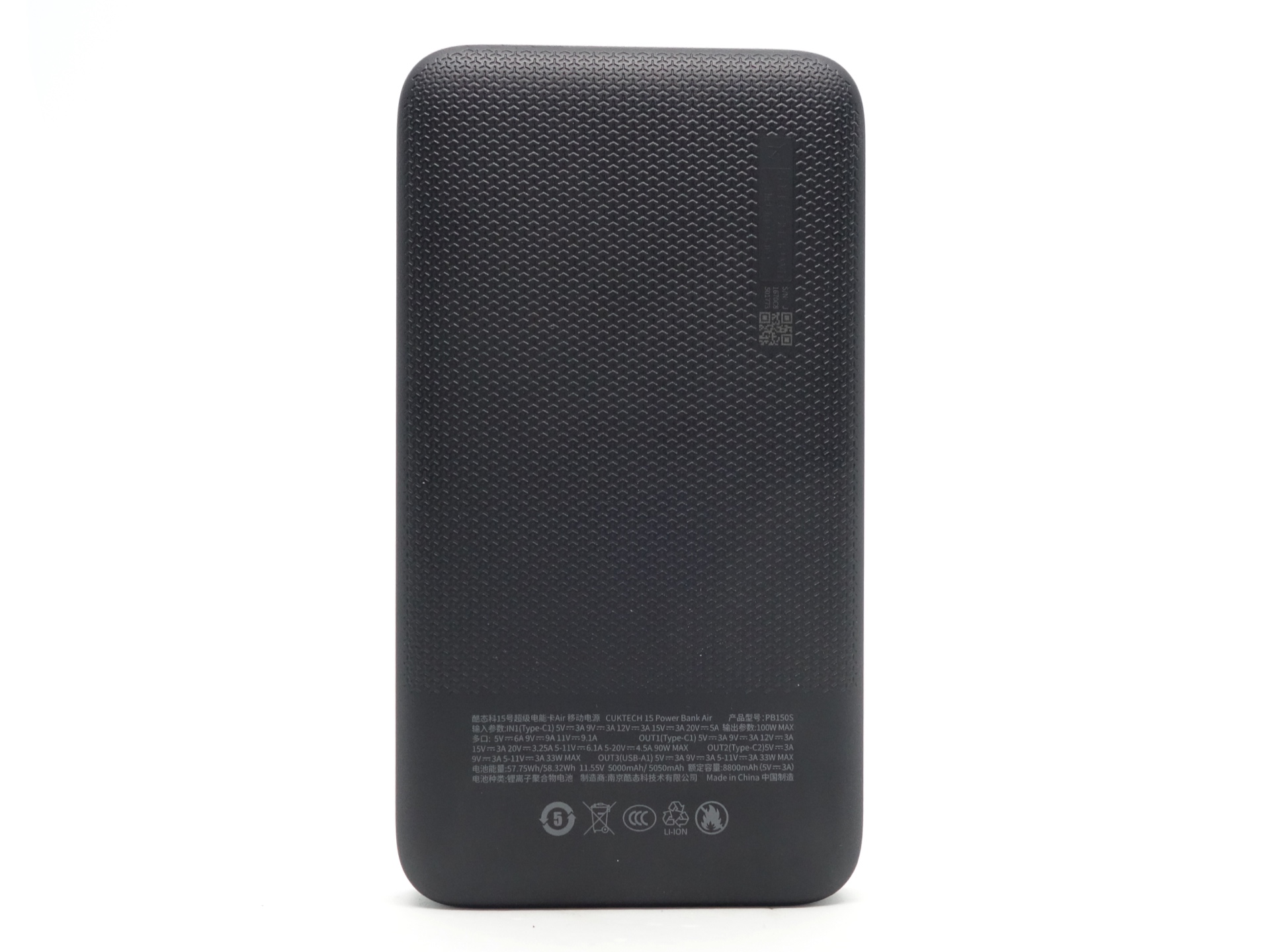
There are lot of details in small writing on the back of the powerbank.
Cable#
A CUKTECH branded 0.35m USB-C to USB-C 6A cable with an e-marker chip is included.
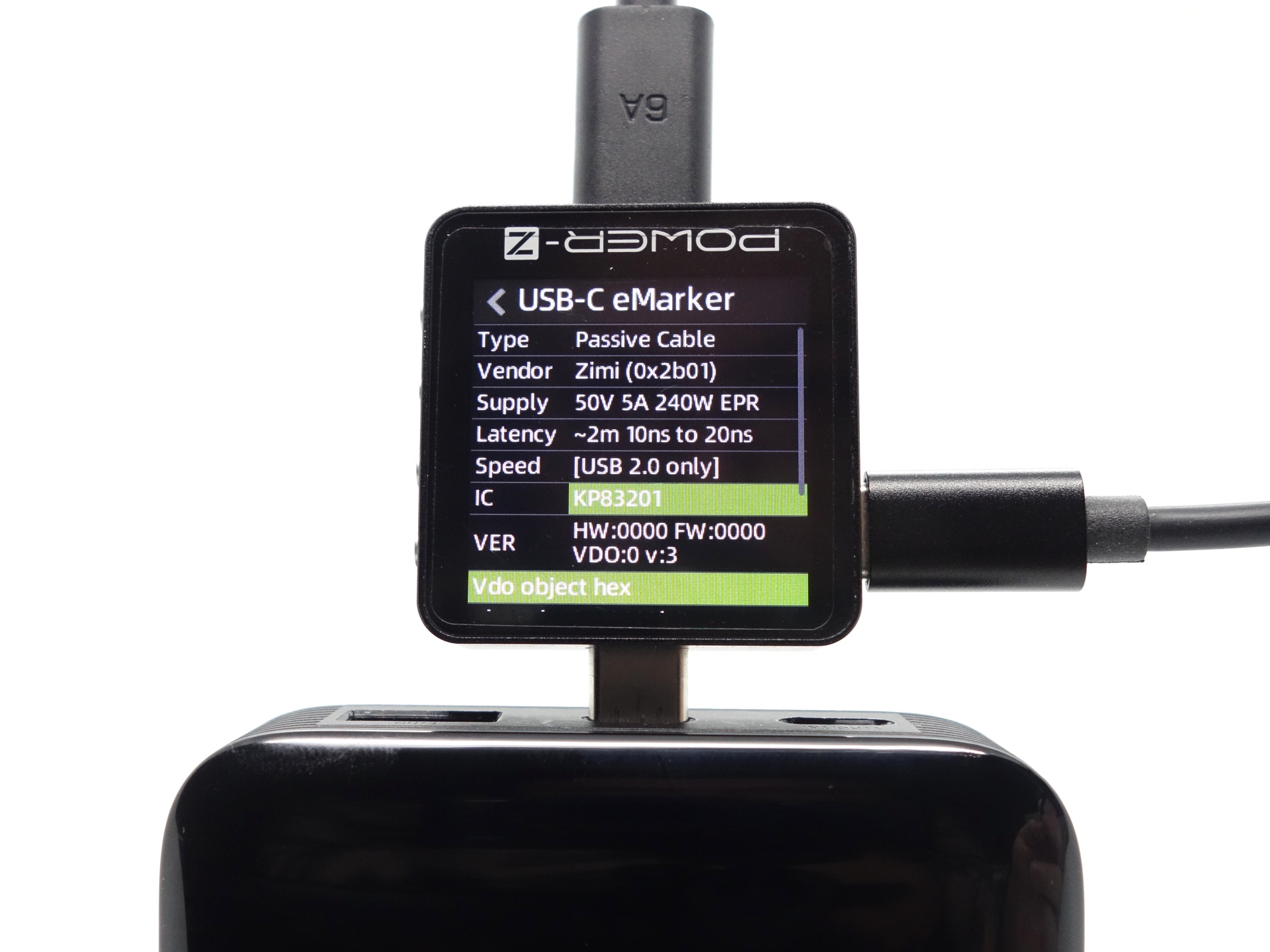
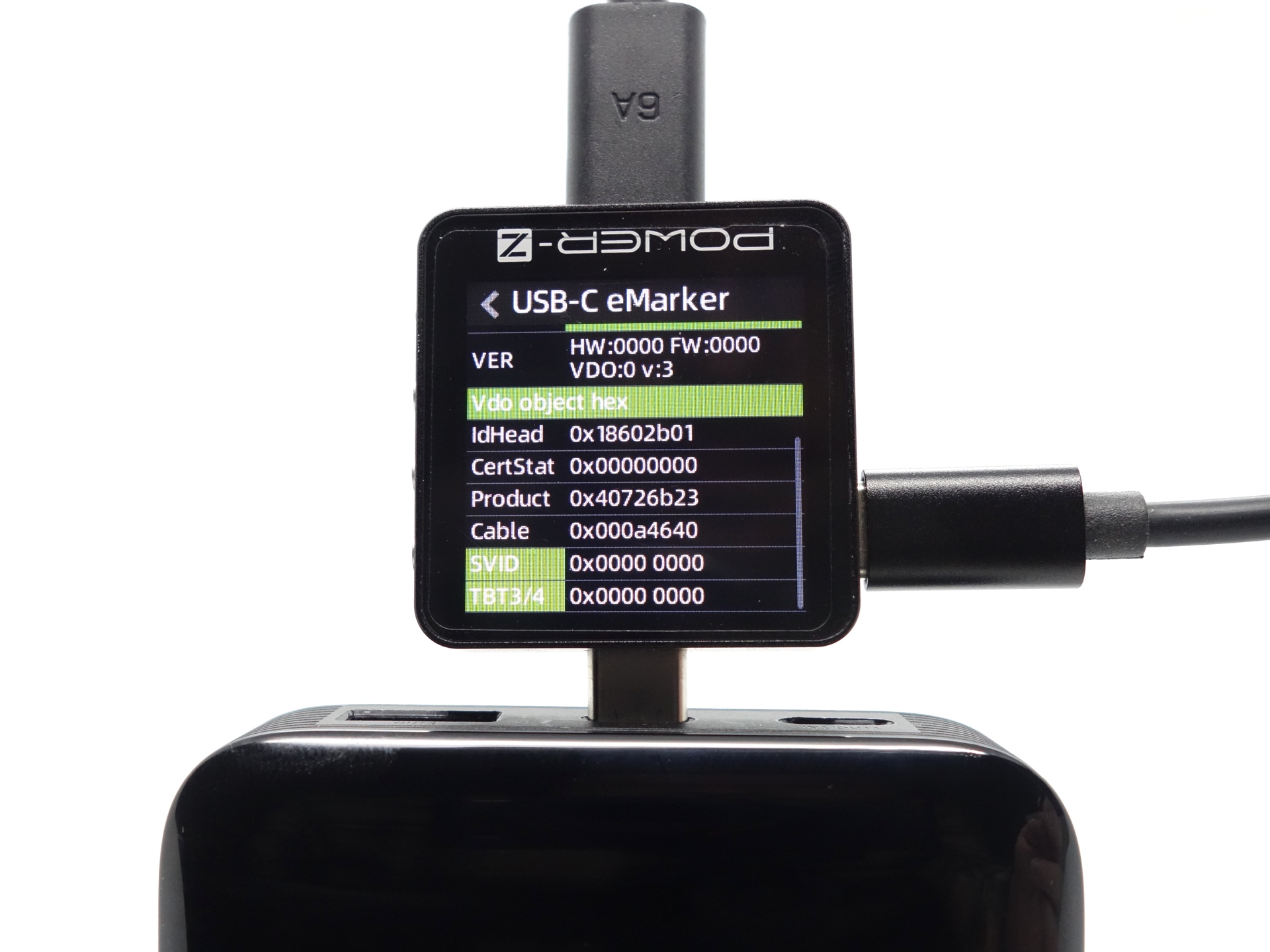
My ChargerLAB Power-Z KM003C Amazon Australia USB Meter detected the following:
| Feature | Details |
|---|---|
| Vendor | Zimi (0x2b01) |
| Type | Passive |
| Speed | USB 2.0 only |
| Supply | 50V 5A (240W EPR) |
| Latency | ~2m, 10ns to 20ns |
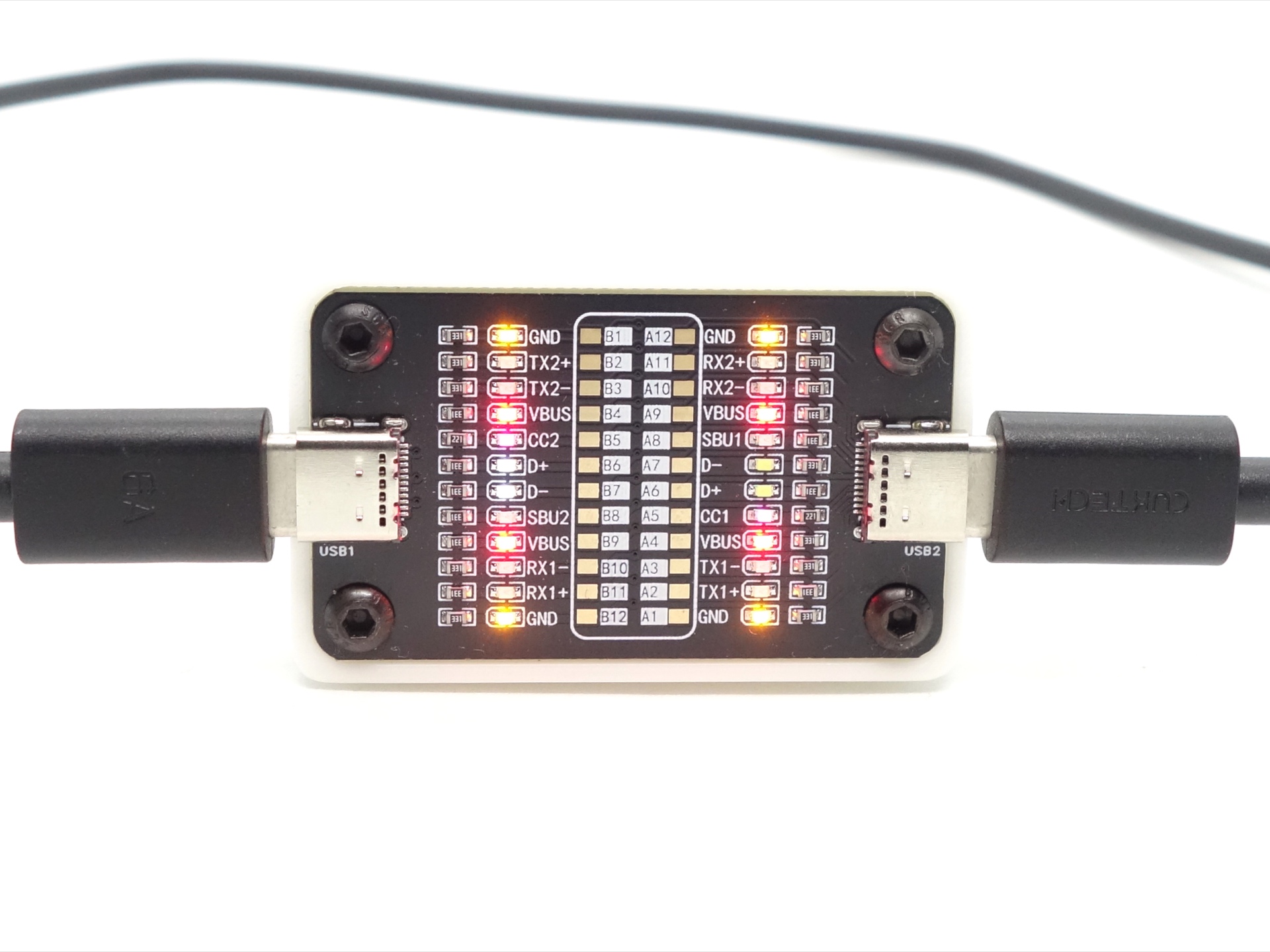
The USB-C plug has 12 pins populated instead of 24.
Dimensions and size comparison#
Dimensions#
I took the following measurements using a digital caliper.
| Measurement | Unit (mm) |
|---|---|
| Height | 132.12 |
| Width | 72 |
| Thickness | 21.66 |
Weight#
I took the following measurements using a digital scale.
| Weight | Unit (g) |
|---|---|
| CUKTECH PB150S | 311 |
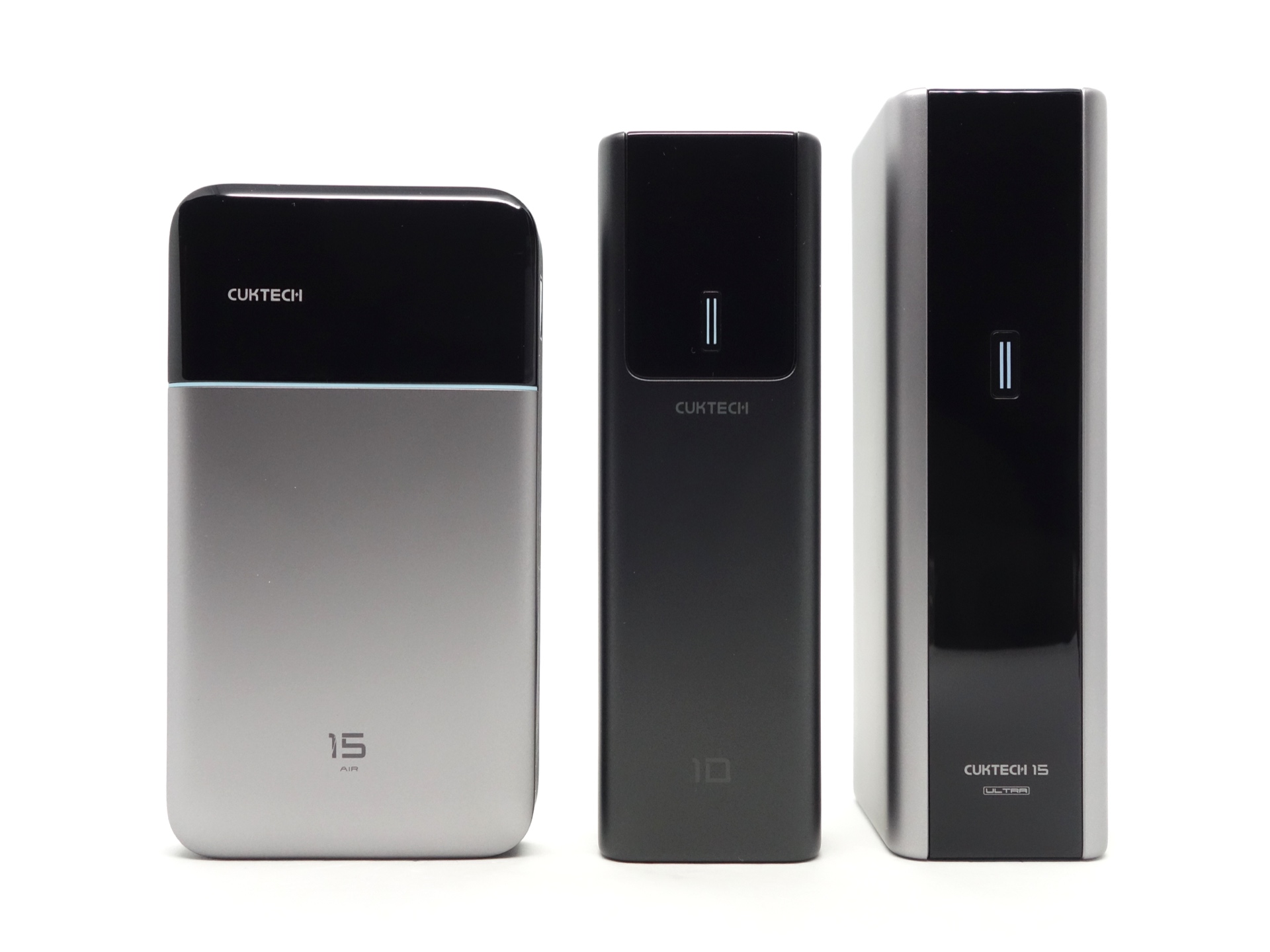
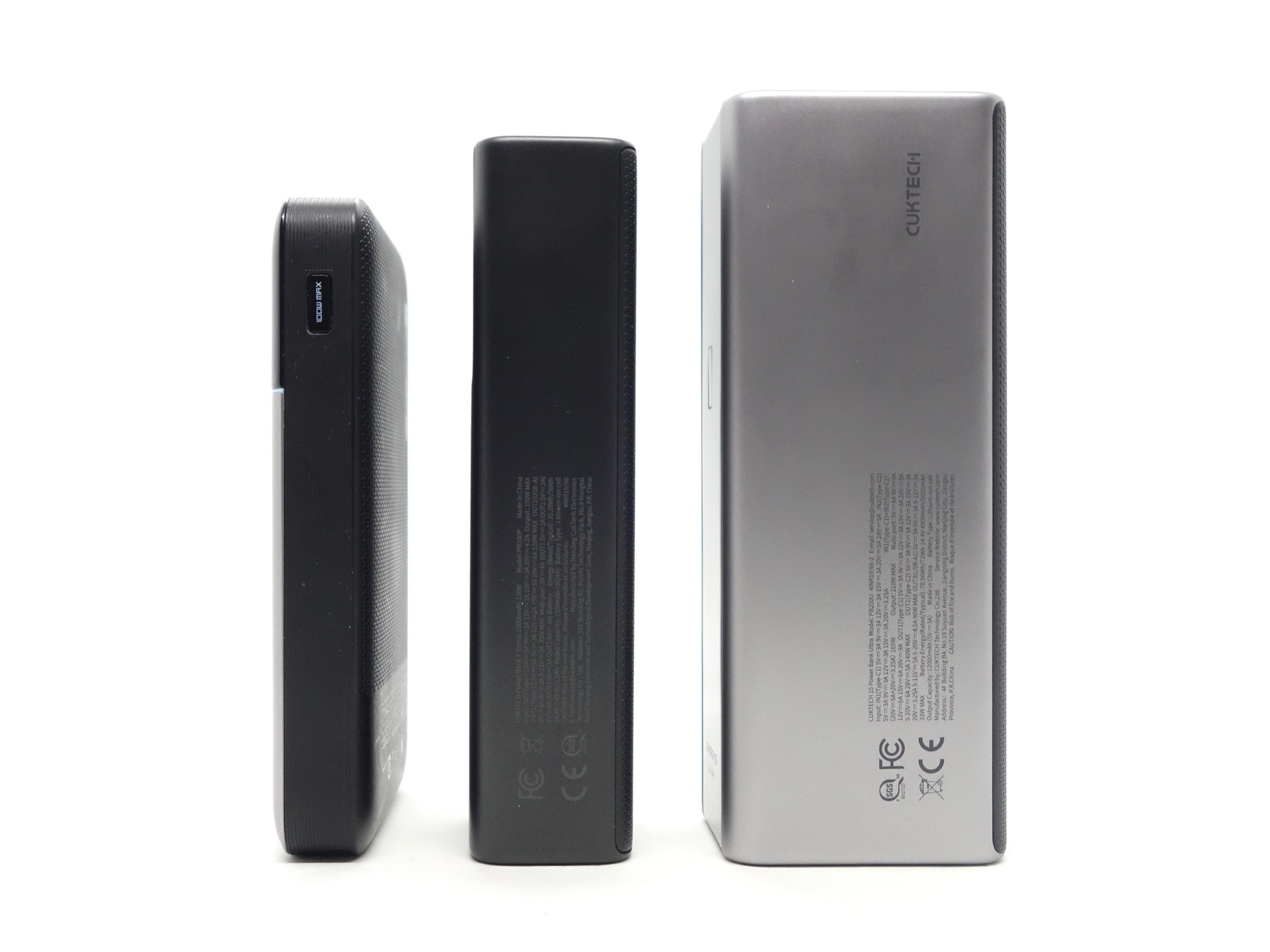
Size comparison with its competition#
From left to right: CUKTECH 15 Air PB150S, CUKTECH 10 PB100P, CUKTECH 15 Ultra PB200U
Compatibility#
The powerbank supports multiple USB-C PD and QC protocols.
Protocol Detection#
I used a few USB Meters and the included cable to detect which protocols are supported by the powerbank.
USB-C OUT1#
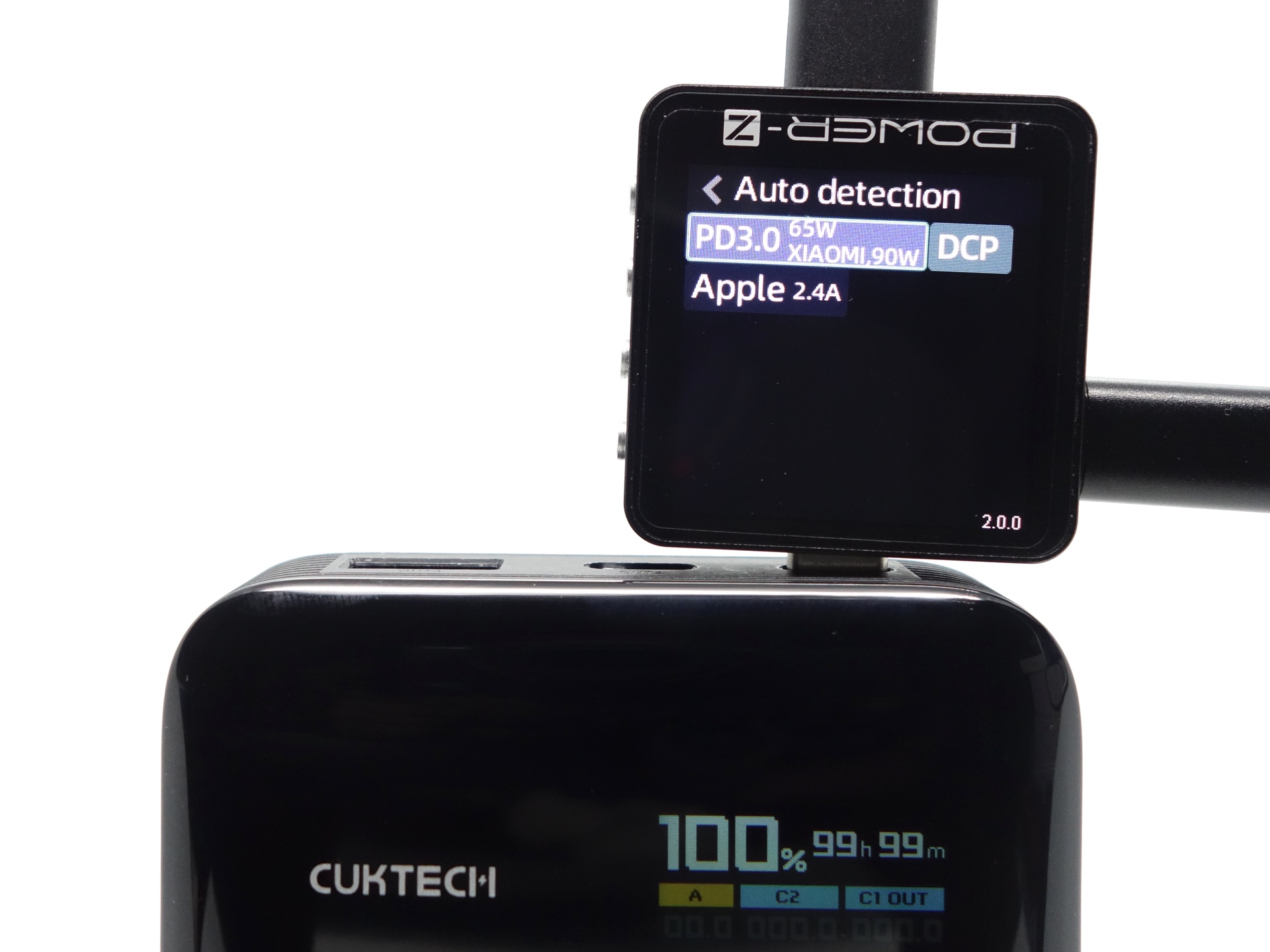
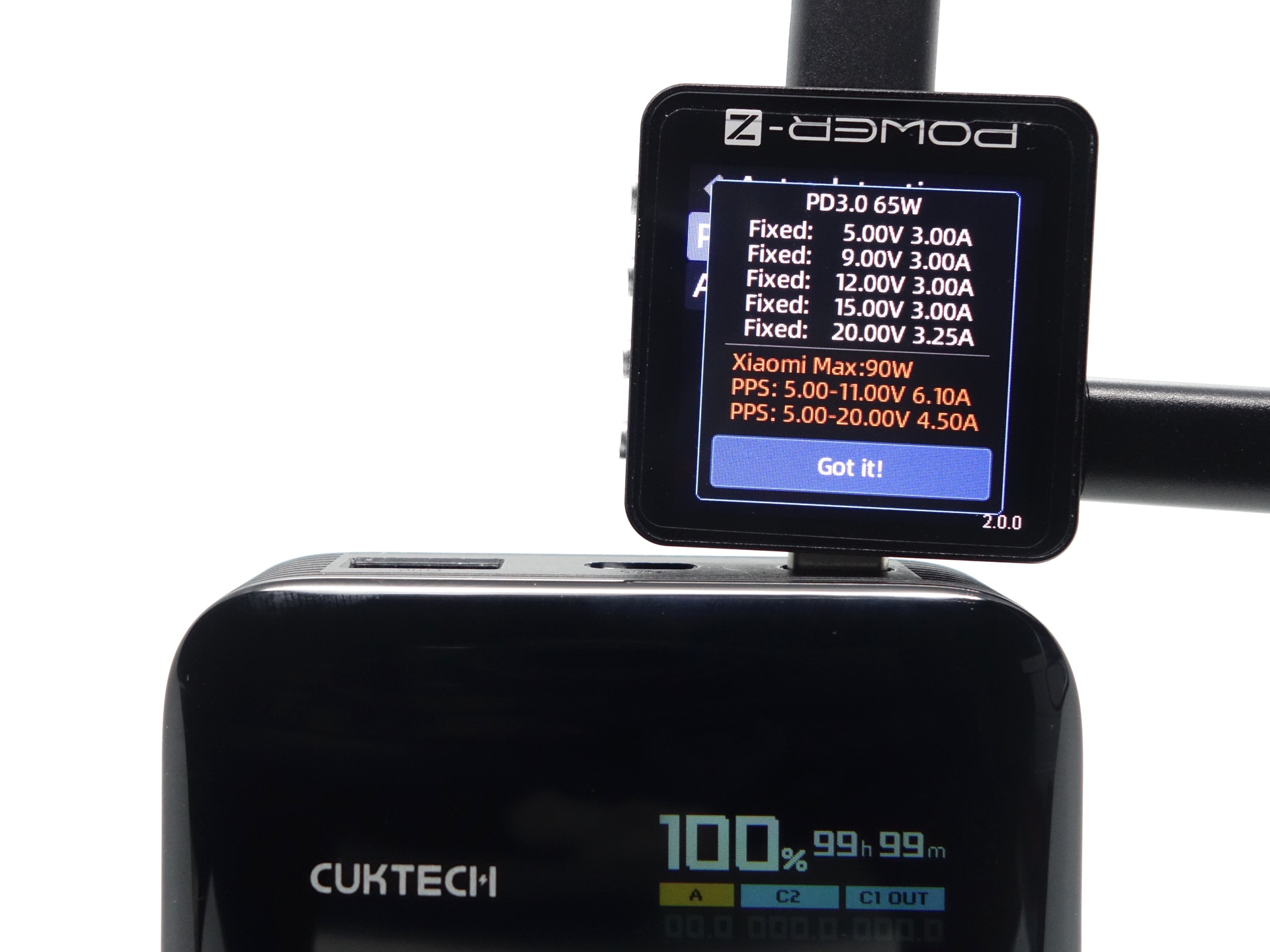
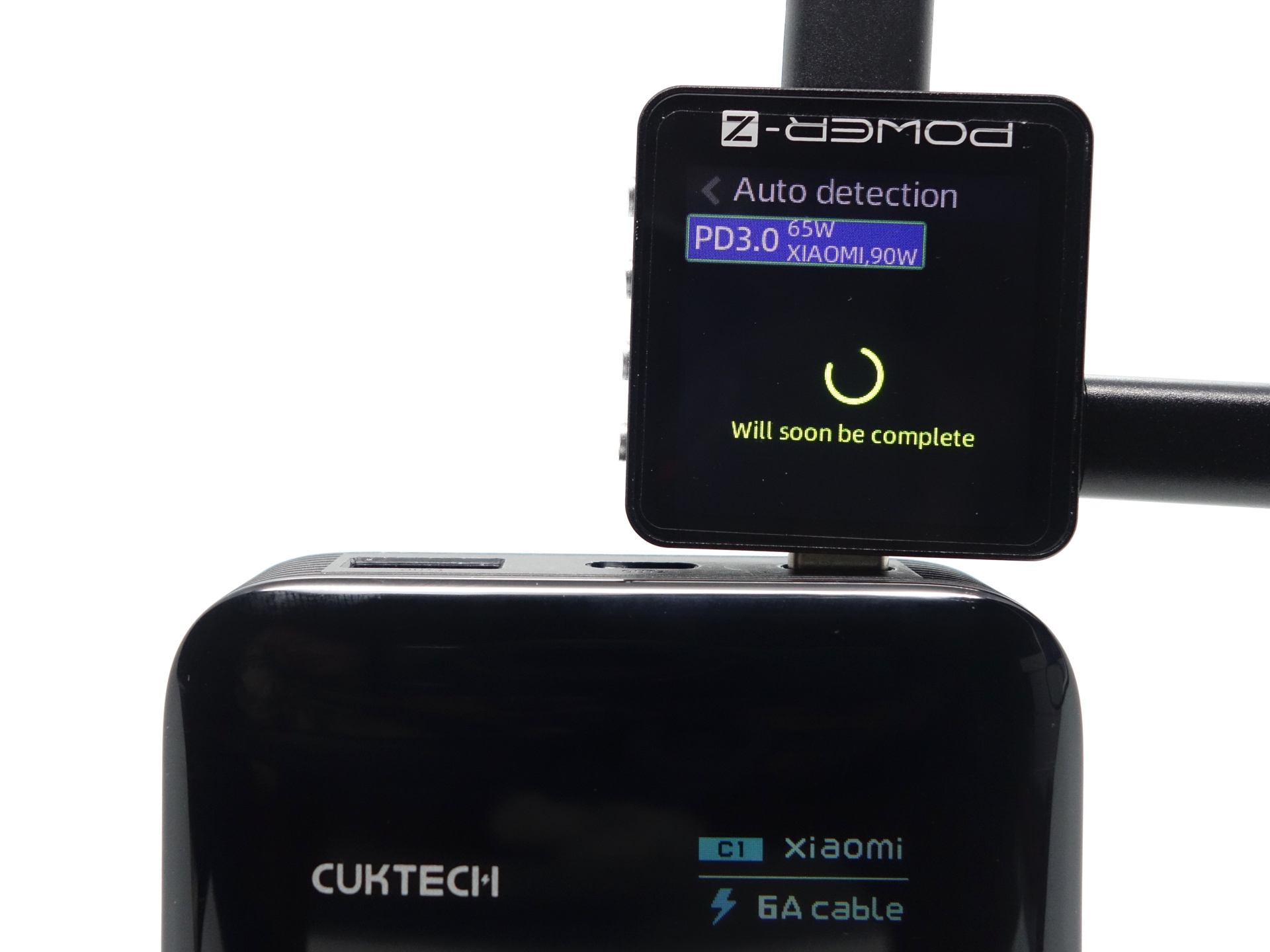
ChargerLAB Power-Z KM003C Amazon Australia
PD3.0 65W, XIAOMI 120W
Fixed: 5.00V 3.00A
Fixed: 9.00V 3.00A
Fixed: 12.00V 3.00A
Fixed: 15.00V 3.00A
Fixed: 20.00V 3.25A
PPS: 5.00-11.00V 6.10A
PPS: 5.00-20.00V 4.50A
Xiaomi Max: 90W
DCP
Apple 2.4A
USB-C OUT2#
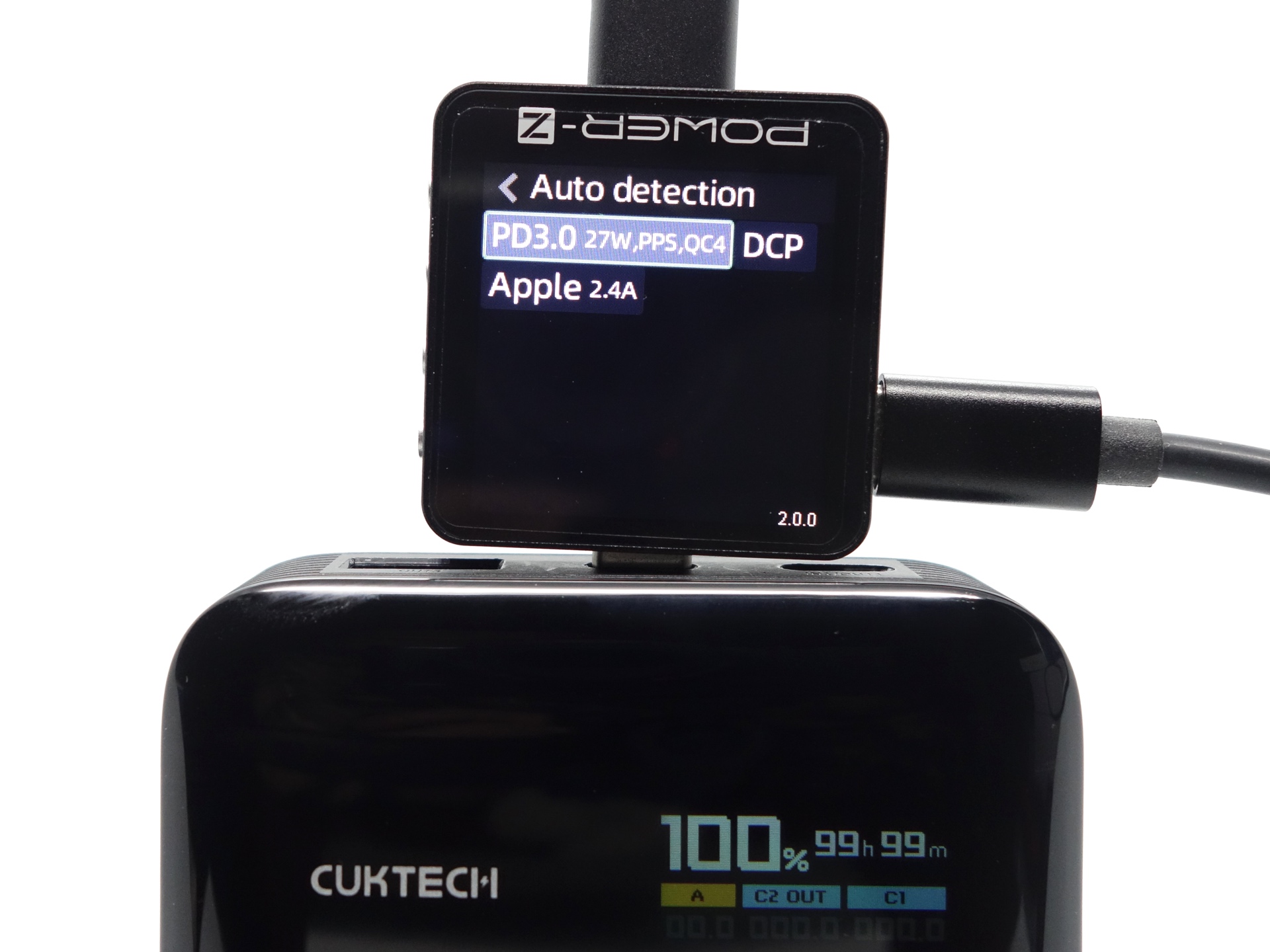
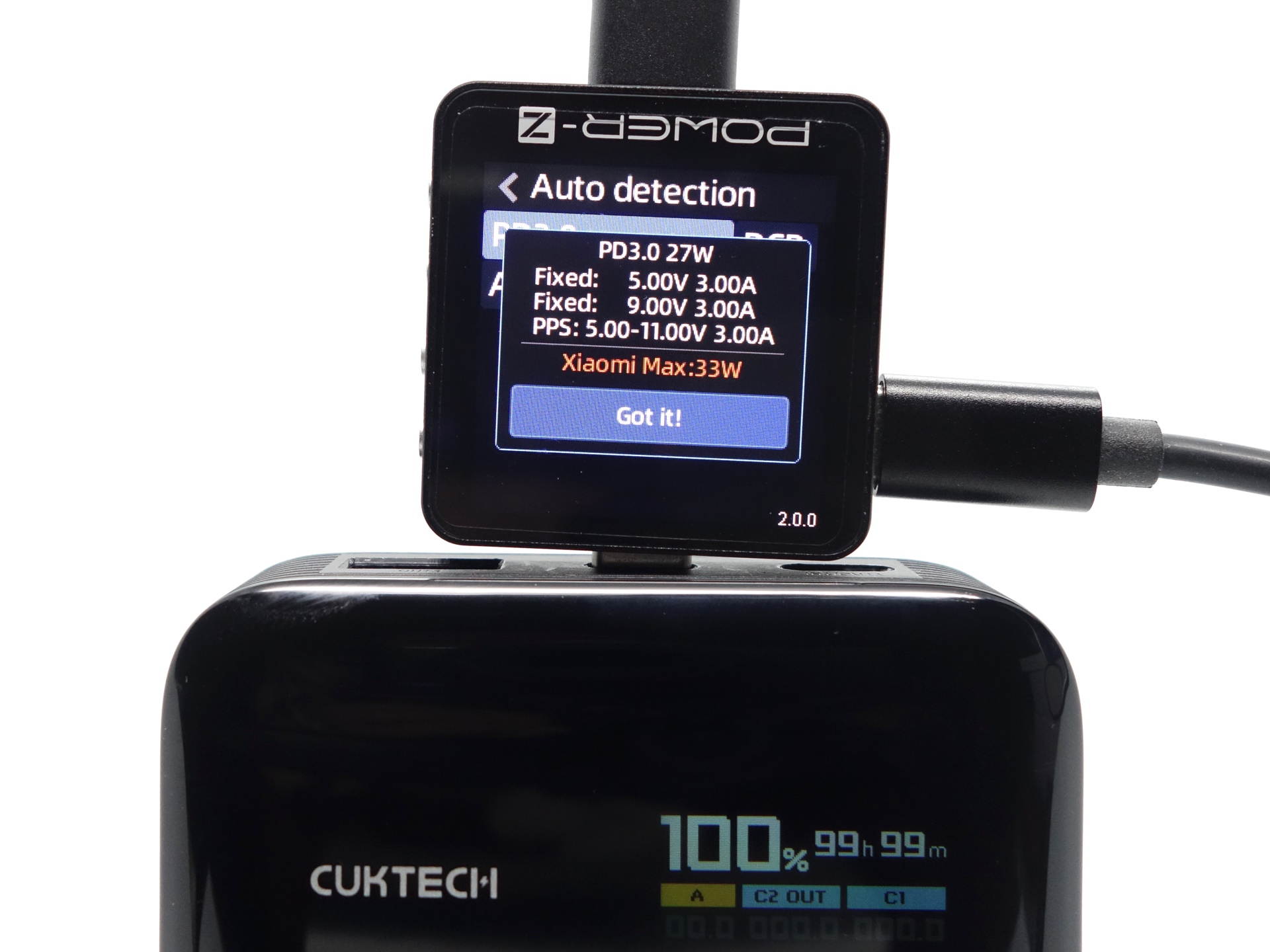
ChargerLAB Power-Z KM003C Amazon Australia
PD3.0 27W,PPS,QC4
Fixed: 5.00V 3.00A
Fixed: 9.00V 3.00A
PPS: 5.00-11.00V 3.00A
Xiaomi Max: 33W
DCP
Apple 2.4A
USB-A OUT3#
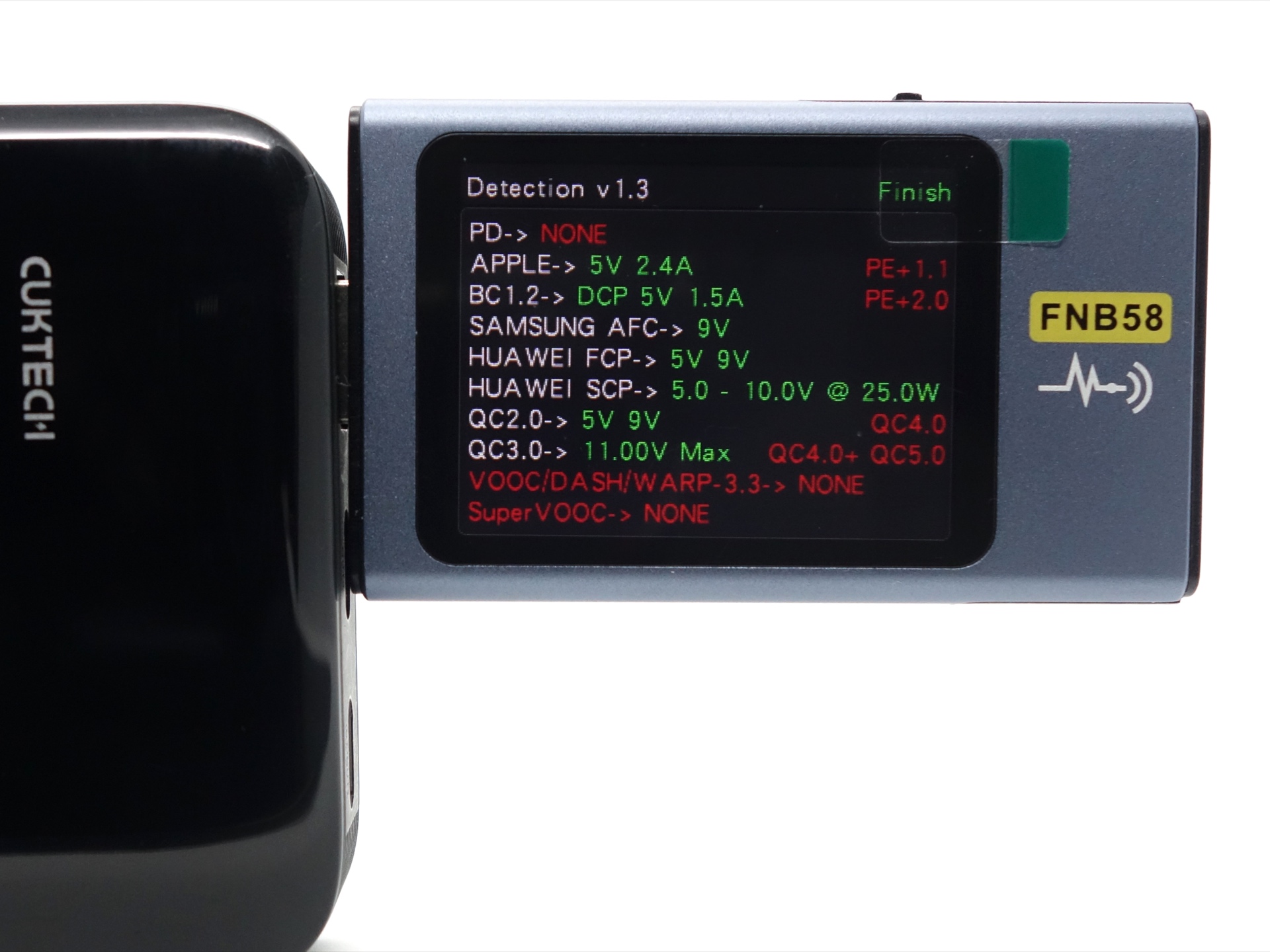
APPLE-> 5V 2.4A
BC1.2-> DCP 5V 1.5A
SAMSUNG AFC-> 9V
HUAWEI FCP-> 5V 9V
HUAWEI SCP-> 5.0 - 10.0V @ 25.0W
QC2.0-> 5V 9V
QC3.0-> 11.00V Max
User interface#
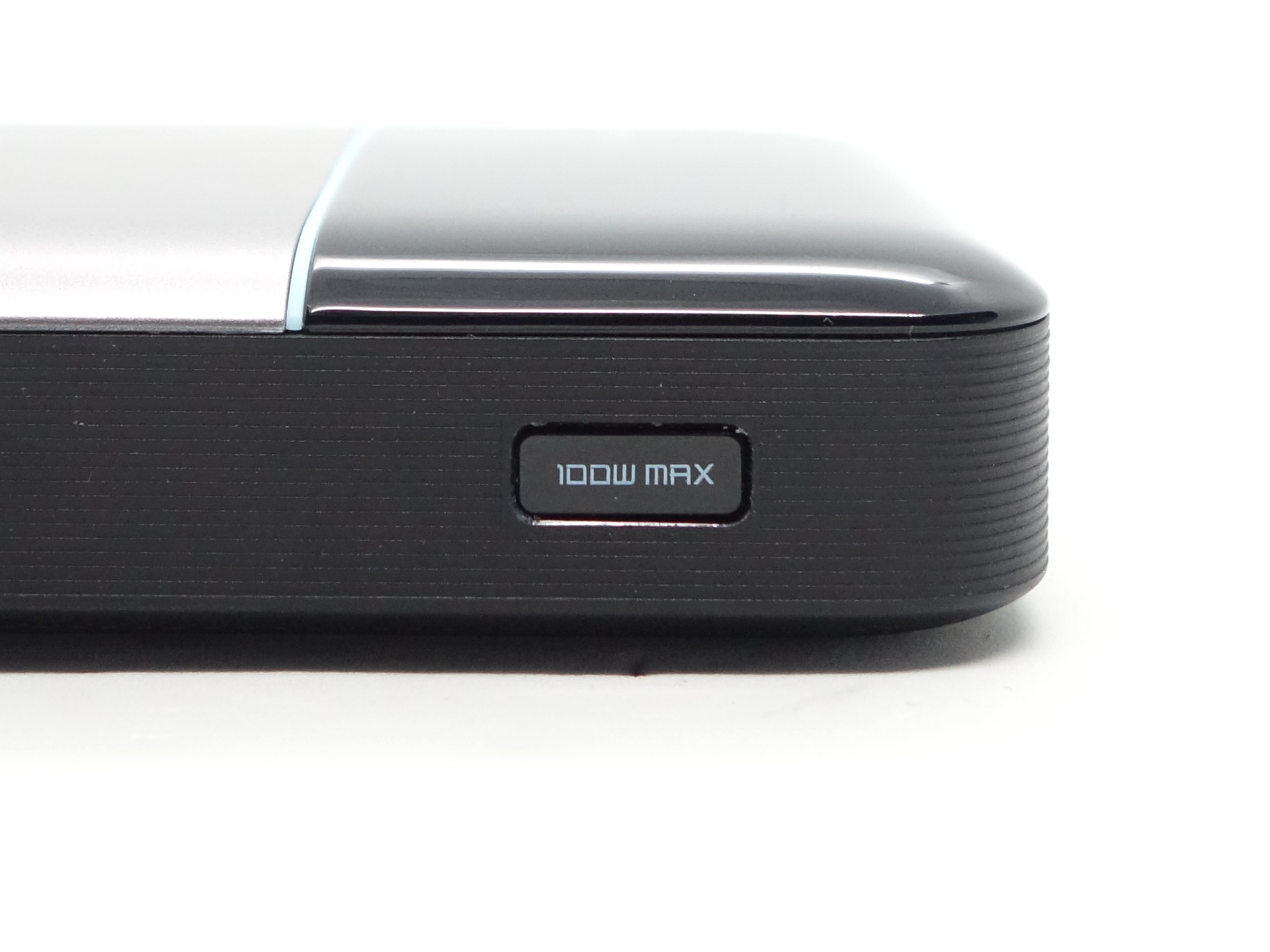
The powerbank is controlled by a single button on the side.
The screen can be rotated 180 degrees by pressing and holding the button.
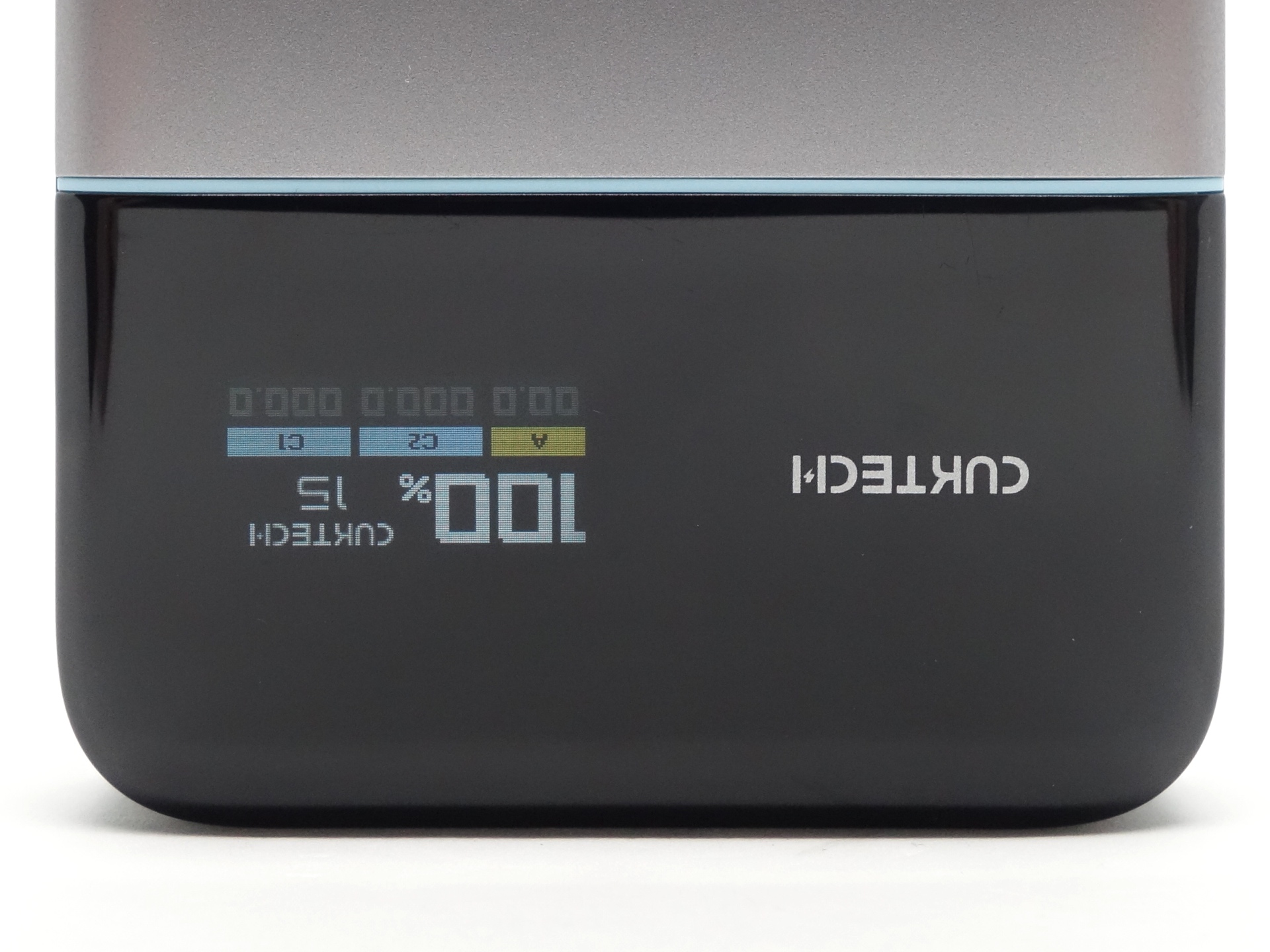
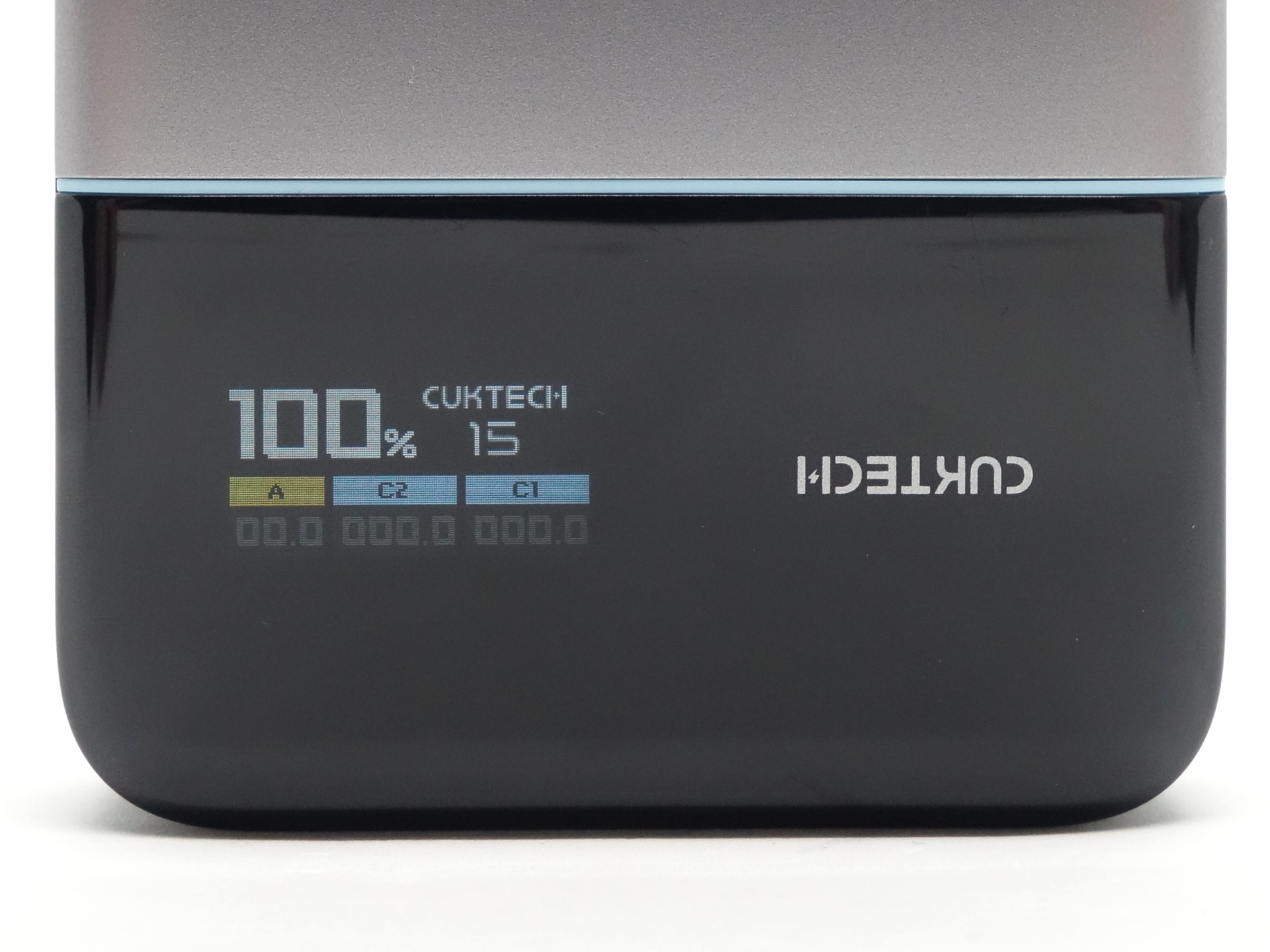
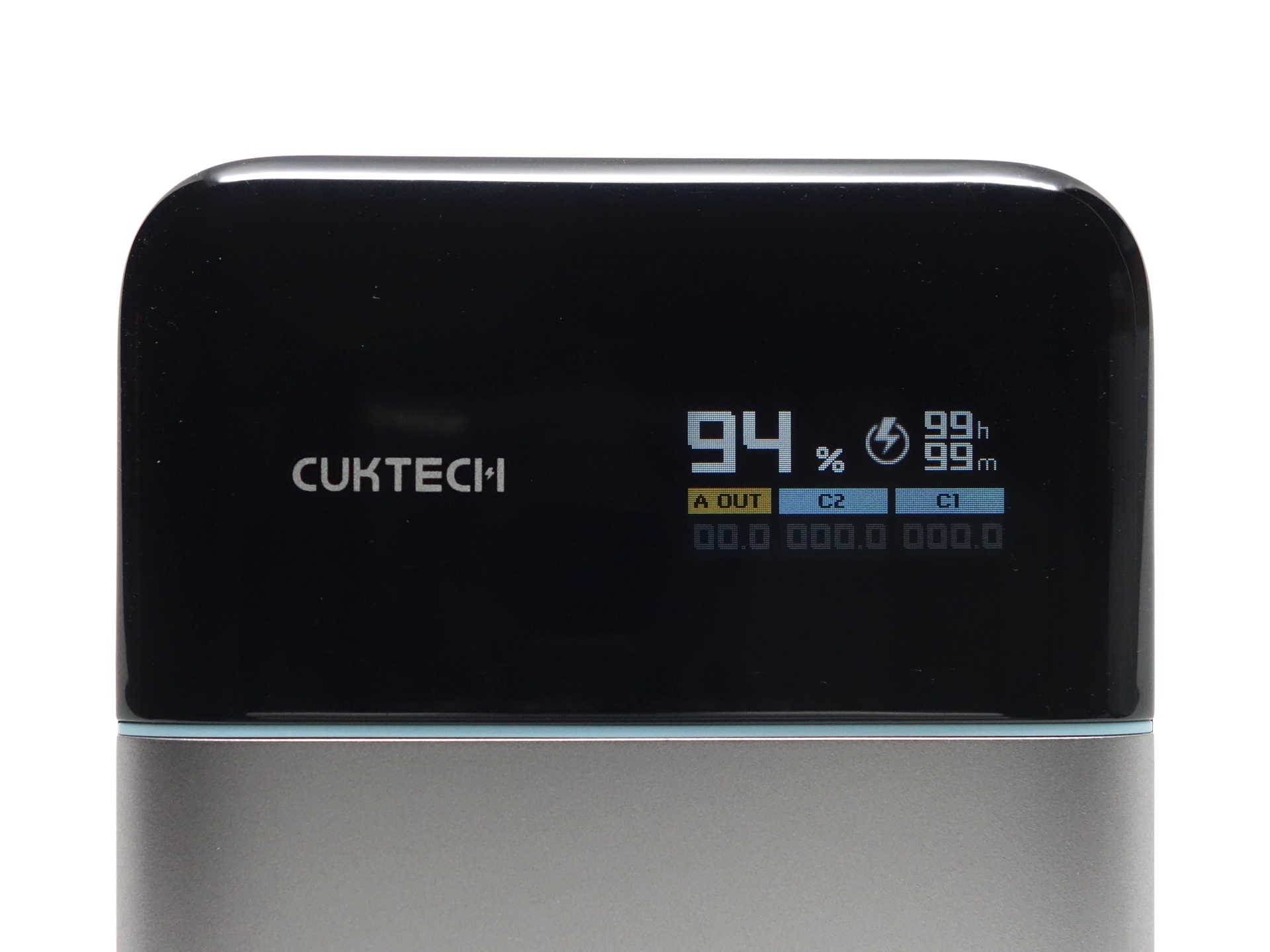
The first screen shows:
- Percentage of cell capacity
- Low Current Discharge Mode (lightning bolt symbol)
- Charge/Discharge Status (C1 IN/OUT, C2 IN/OUT, A OUT)
- Charge/Discharge Time Remaining
- Power (W)
Low Current Discharge Mode can be toggled on and off by double pressing the button.
The lightning bolt symbol indicates that Low Current Discharge Mode is on.
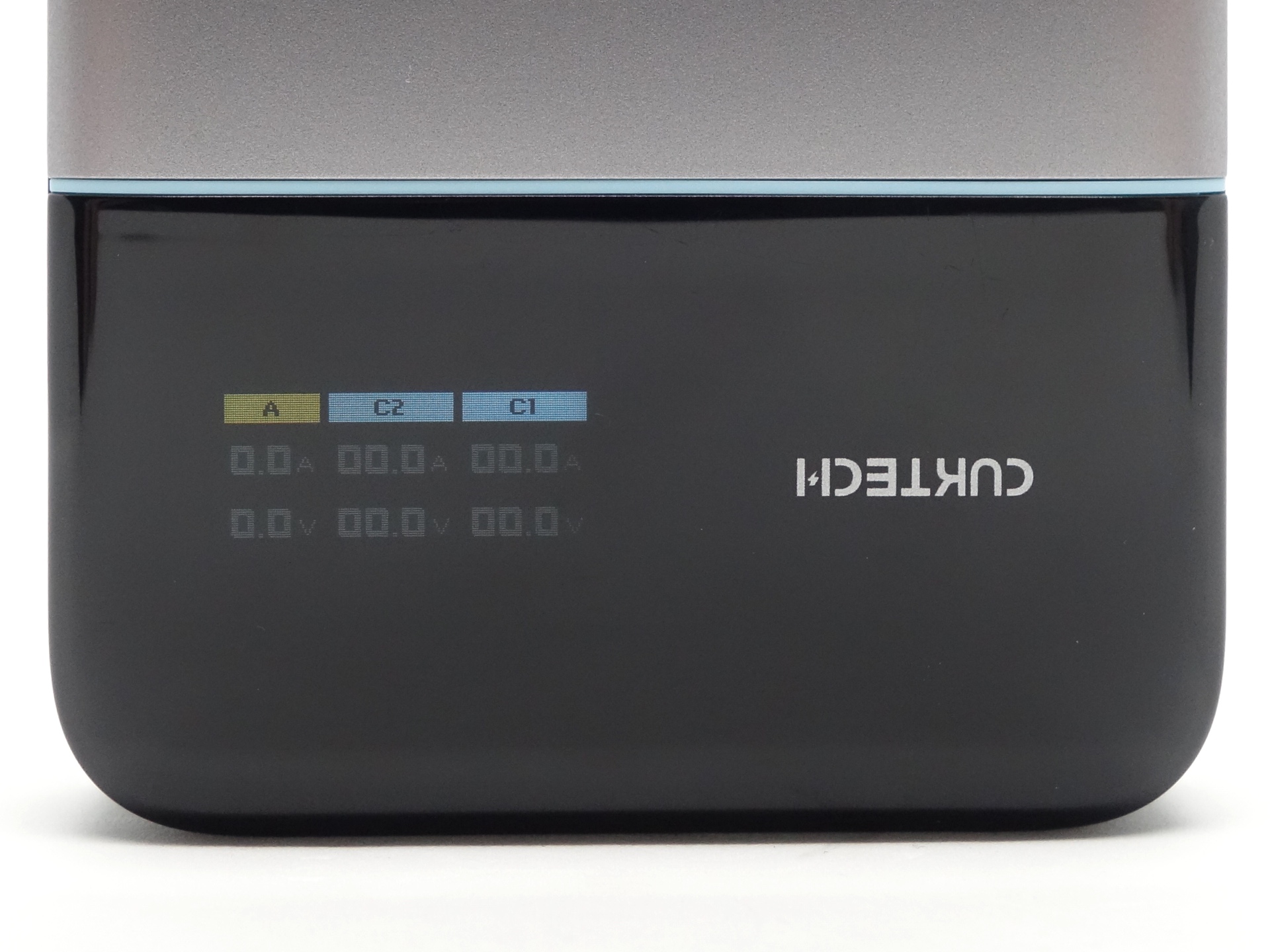
The button can be pressed to take you to the second screen where the voltage and current (A) are displayed for each port.
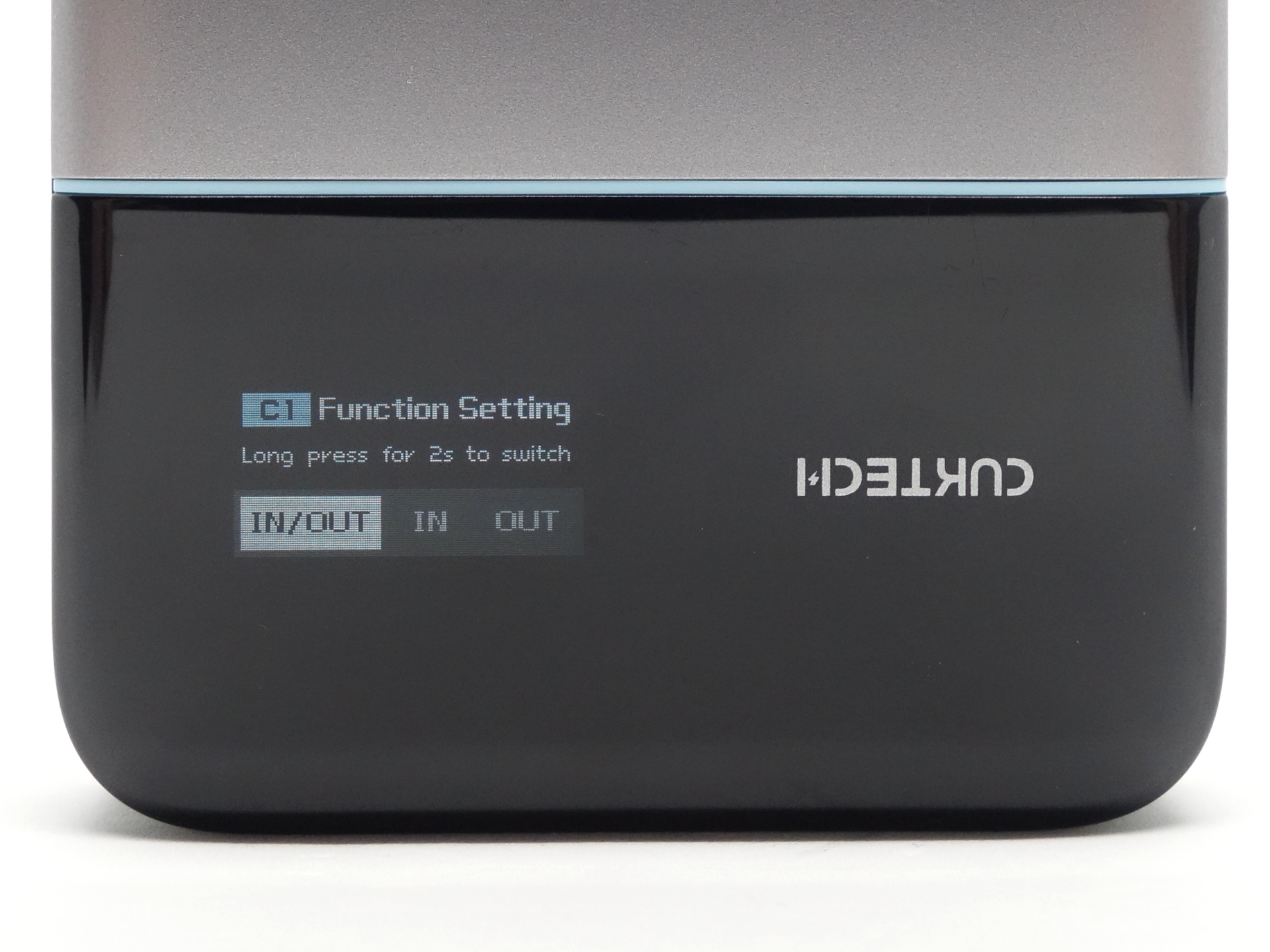
Pressing the button again will take you to the third screen where the Type-C1 port can be configured to be for INPUT/OUTPUT, INPUT Only or OUTPUT Only. This is a great feature for situations where you want to charge another device but that device is unable to figure out whether it wants to also be a powerbank or be charged.
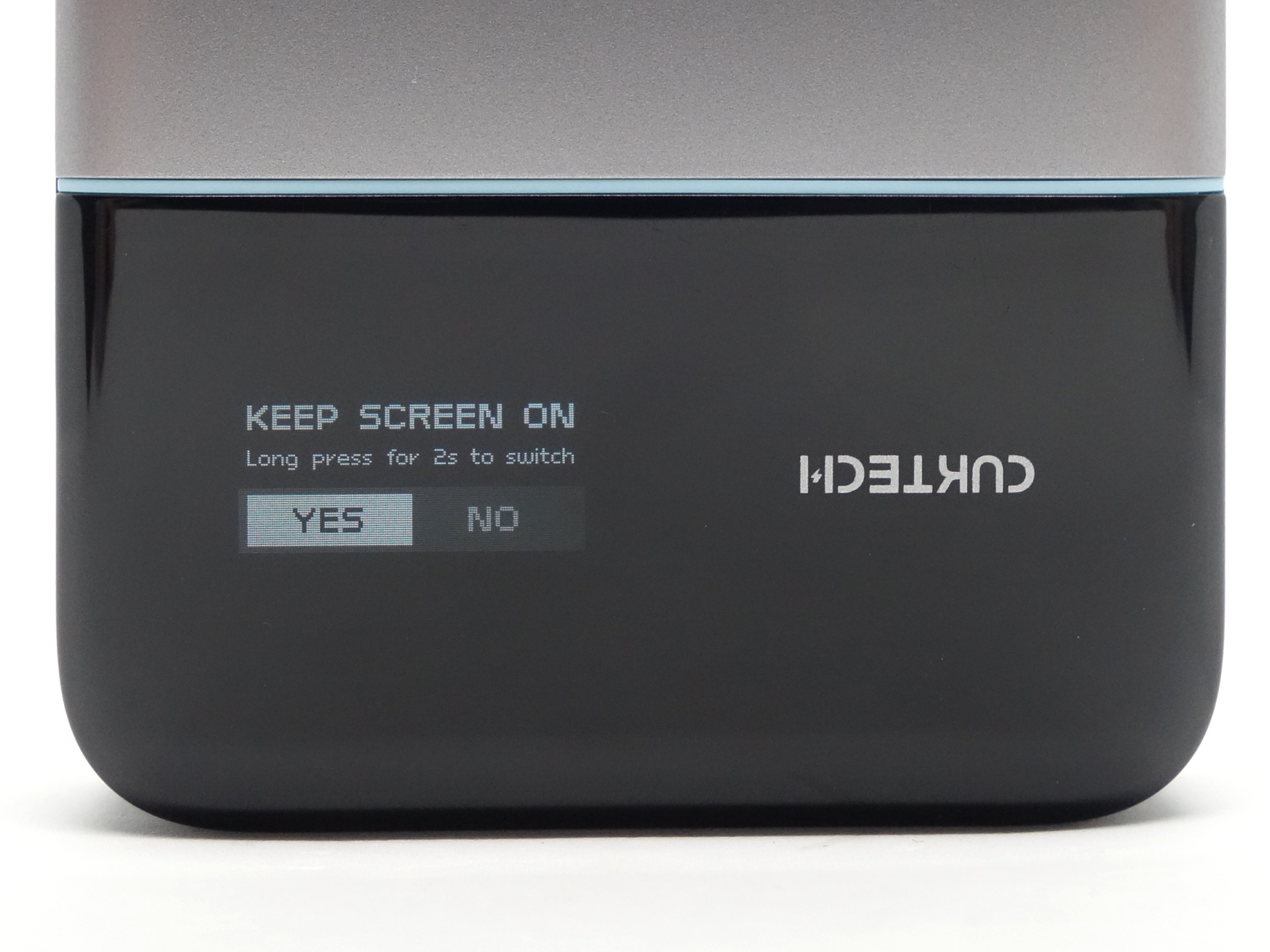
At the “KEEP SCREEN ON” menu, the button can be long pressed for two seconds to toggle between “YES” and “NO”.
The button can be pressed again briefly to confirm.
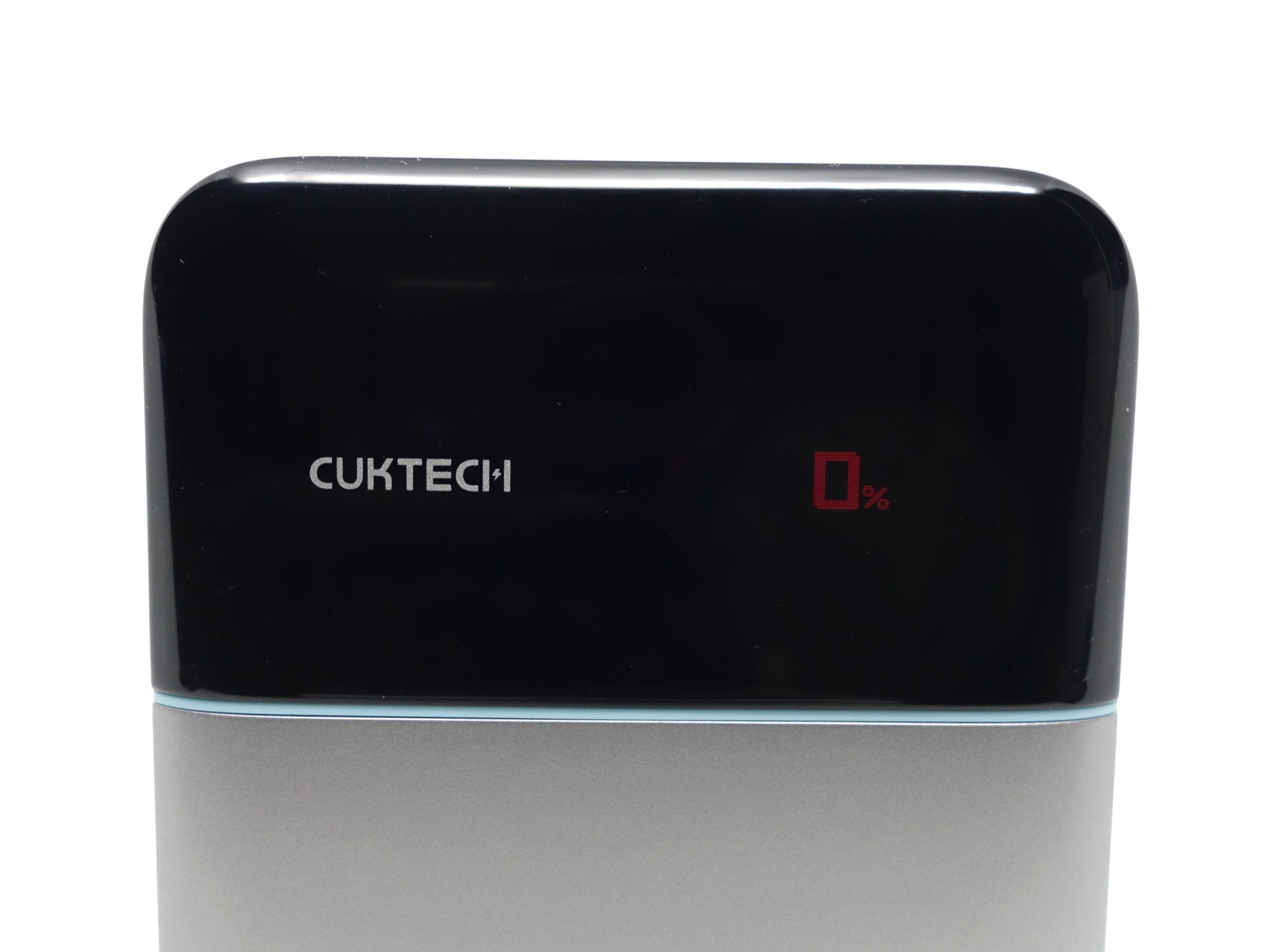
The percentage of cell capacity will be red if it is less than or equal to 10%.
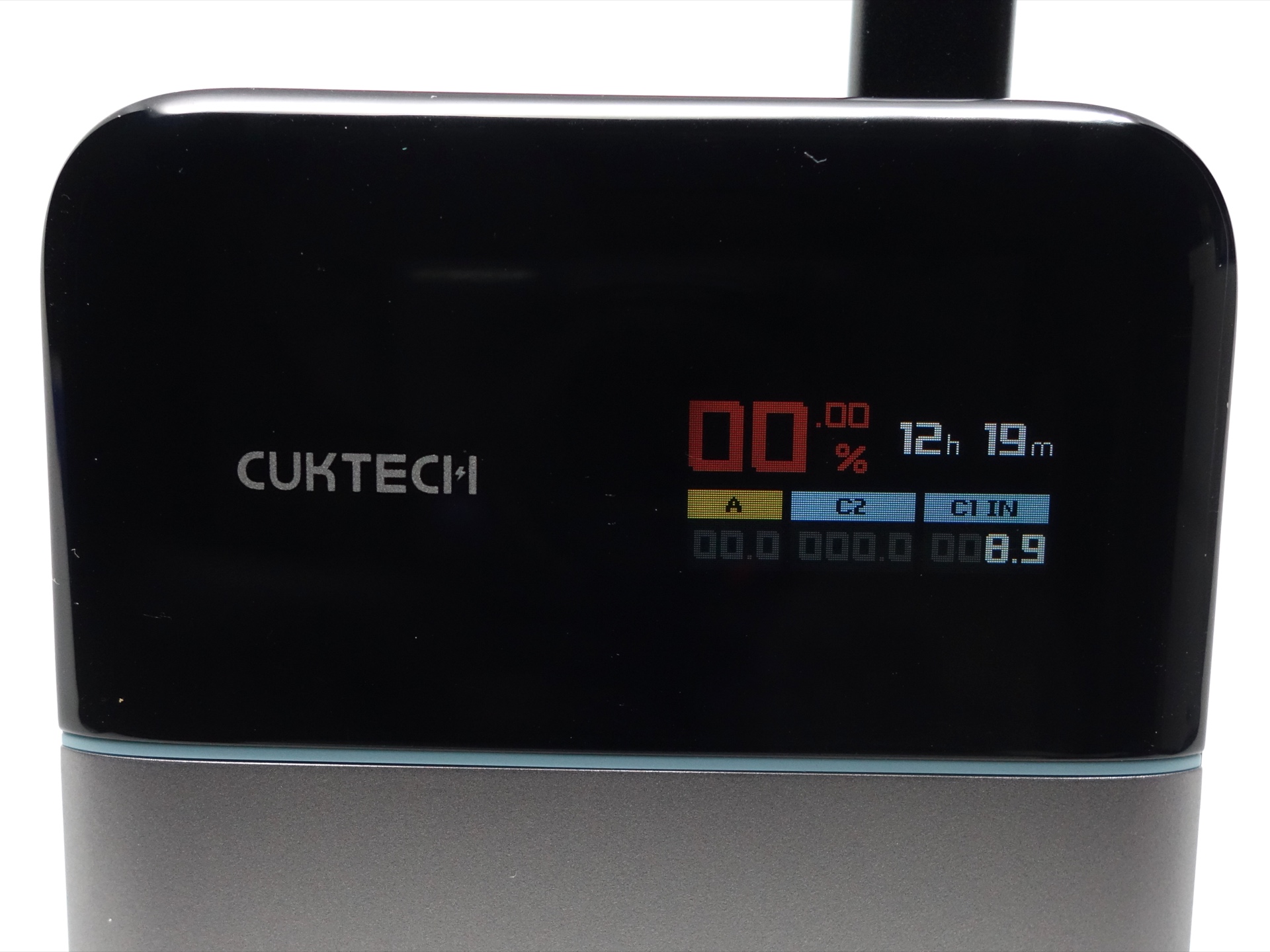
Here is an overview of how to use the button:
| Display | State | Action | Result |
|---|---|---|---|
| Off | Click | Turn the display on and view the status. | |
| On | First screen | Click | Switch to the second screen. |
| On | First screen | Press and hold for 2 seconds | Rotate the screen 180 degrees. |
| On | Second screen | Press and hold for 2 seconds | Select INPUT/OUTPUT, INPUT Only or OUTPUT Only. |
| On | Second screen | Click | Switch to the third screen. |
| On | Third screen | Click | Turn the display off. |
| On | Third screen | Press and hold for 2 seconds | Keep Screen Always On. |
| Any | Press and hold for 5 seconds | Force the powerbank to turn off. | |
| Any | Double click | Low Current Discharge Mode On | |
| On | Low Current Discharge Mode | Click | Low Current Discharge Mode Off |
Tests#
I used a ChargerLAB Power-Z KM003C Amazon Australia USB Meter to measure the voltage and current while charging and discharging the powerbank.
A ChargerLAB Power-Z SINK240 USB-C Trigger Board, an ALIENTEK EL15 electronic load and an Atorch DL24P electronic load were used to discharge the powerbank.
These tests were performed within the first six months using the powerbank.
Room temperature: 20 C
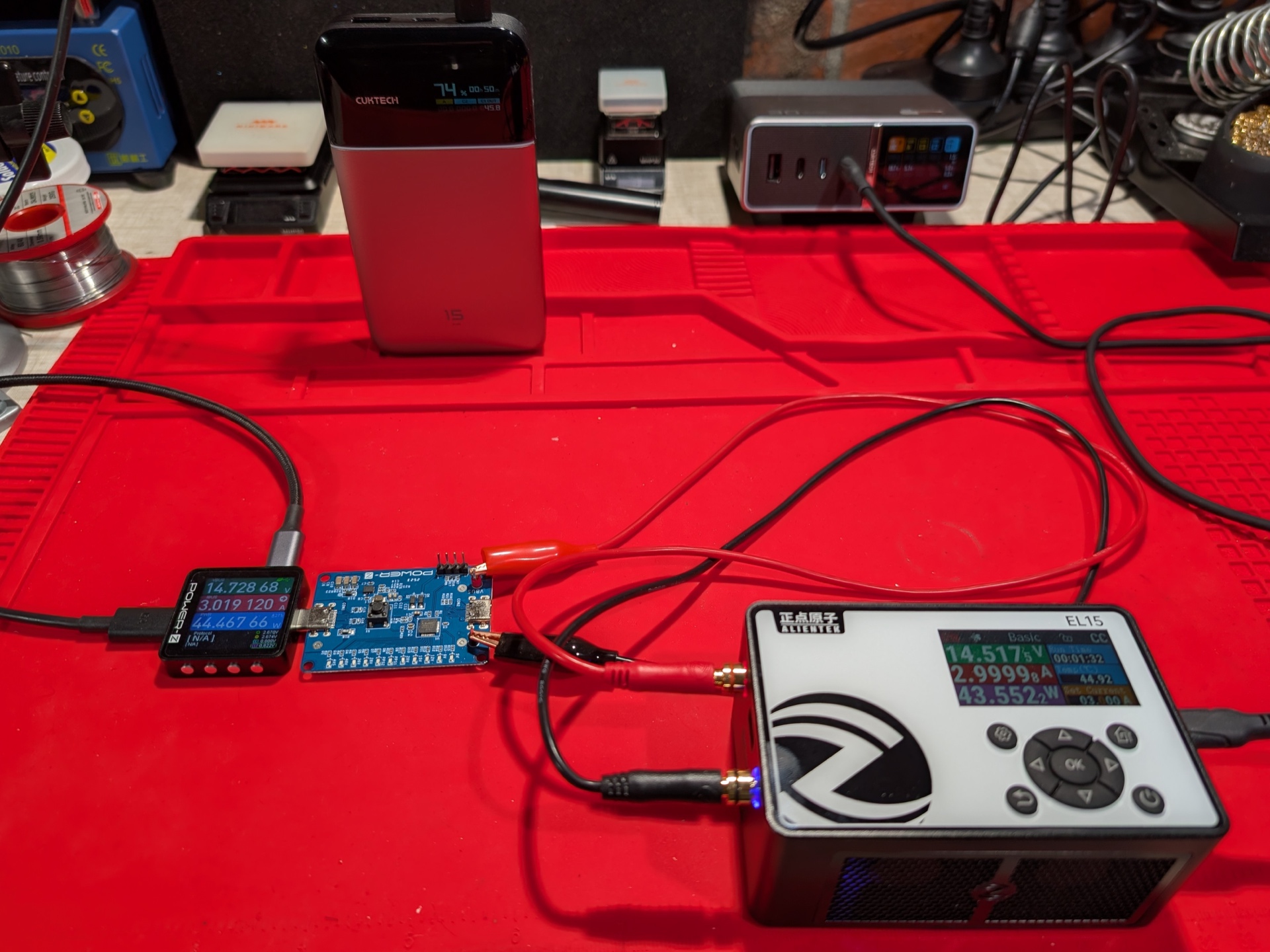
Charge and discharge tests#
| Port | Device | Power | Voltage | Current | Duration | Capacity | Energy | Efficiency | Temp |
|---|---|---|---|---|---|---|---|---|---|
| USB-C IN1 | CUKTECH 10 Ultra | 100W | 20V | 5A | 1:08:12 | 3,403 mAh | 58.81 Wh | 40 C | |
| USB-C IN1 | Apple 140W | 90W | 20V | 4.5A | 1:10:00 | 2,940 mAh | 58.96 Wh | ||
| USB-C OUT1 | ALIENTEK EL15 | 90W | 20V | 4.5A 76% left over | 0:06:46 | 500 mAh | 9.79 Wh | ||
| USB-C OUT1 | ALIENTEK EL15 | 67.1W | 11V | 6.1A 65% left over | 0:14:23 | 1,461 mAh | 15.24 Wh | ||
| USB-C OUT1 | ALIENTEK EL15 | 65W | 20V | 3.25A | 0:14:09 | 766 mAh | 15.20 Wh | ||
| USB-C OUT1 | ALIENTEK EL15 | 45W | 15V | 3A | 1:01:13 | 3,080 mAh | 45.79 Wh | 78.51% | 28 C |
| USB-C OUT1 | ALIENTEK EL15 | 36W | 12V | 3A | 1:17:51 | 3,918 mAh | 46.47 Wh | 79.68% | 23 C |
| USB-C OUT1 | ALIENTEK EL15 | 27W | 9V | 3A | 1:46:06 | 5,343 mAh | 47.29 Wh | 81.08% | 27 C |
| USB-C OUT1 | ALIENTEK EL15 | 15W | 5V | 3A | 3:10:20 | 9,594 mAh | 46.38 Wh | 79.52% | 24 C |
| USB-C OUT1 | Apple AirPods 4 | 0.5W | 5V | 0.1A | 3:18:38 | 446 mAh | 2.22 Wh | ||
| USB-C OUT2 | ALIENTEK EL15 | 33W | 11V | 3A | 1:22:33 | 4,157 mAh | 45.03 Wh | 77.21% | 23 C |
| USB-C OUT2 | ALIENTEK EL15 | 27W | 9V | 3A | 1:42:47 | 5,162 mAh | 45.58 Wh | 78.15% | 27 C |
| USB-C OUT2 | ALIENTEK EL15 | 15W | 5V | 3A | 3:01:07 | 9,104 mAh | 43.88 Wh | 75.24% | 23 C |
| USB-A OUT3 | ALIENTEK EL15 | 33W | 11V | 1A | 4:16:10 | 4,359 mAh | 47.45 Wh | 81.36% | 22 C |
| USB-A OUT3 | ALIENTEK EL15 | 27W | 9V | 3A | 1:44:01 | 5,200 mAh | 44.01 Wh | 75.46% | 30 C |
| USB-A OUT3 | ALIENTEK EL15 | 15W | 5V | 3A | 2:57:40 | 8,952 mAh | 41.24 Wh | 70.71% | 30 C |
Charge tests#
It takes about 1 hour 10 minutes to fully charge the powerbank with 100W input.
CUKTECH PB150S USB-C IN1 CUKTECH 10 Ultra 100W#
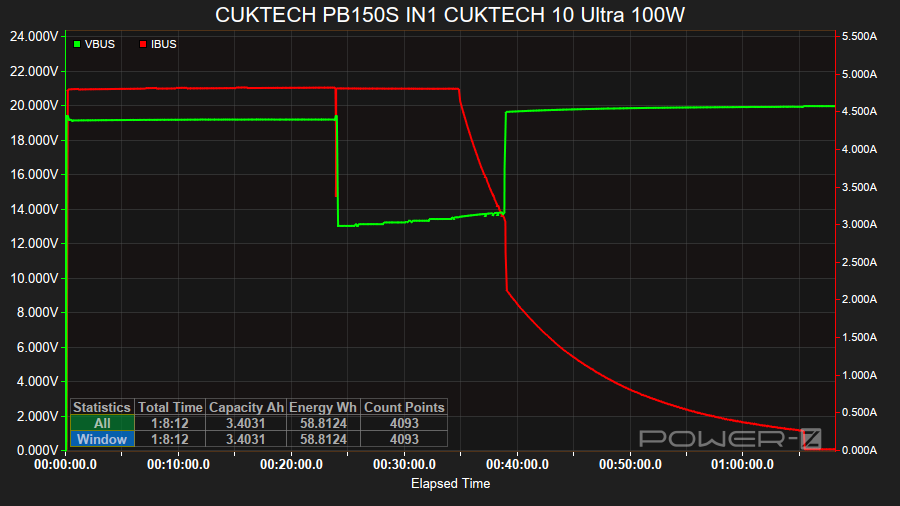
The input reached 92W (19.15V/4.81A) when I used a CUKTECH 10 Ultra power supply to charge the powerbank with USB-C IN1 from 0% to 100%.
There was a step down from around 20V to 12V after 24 minutes but then the CUKTECH 10 Ultra stepped the voltage back up after 38 minutes to around 20V as the current decreased.
The surface temperature reached 40 C.
CUKTECH PB150S USB-C IN1 Apple 140W#
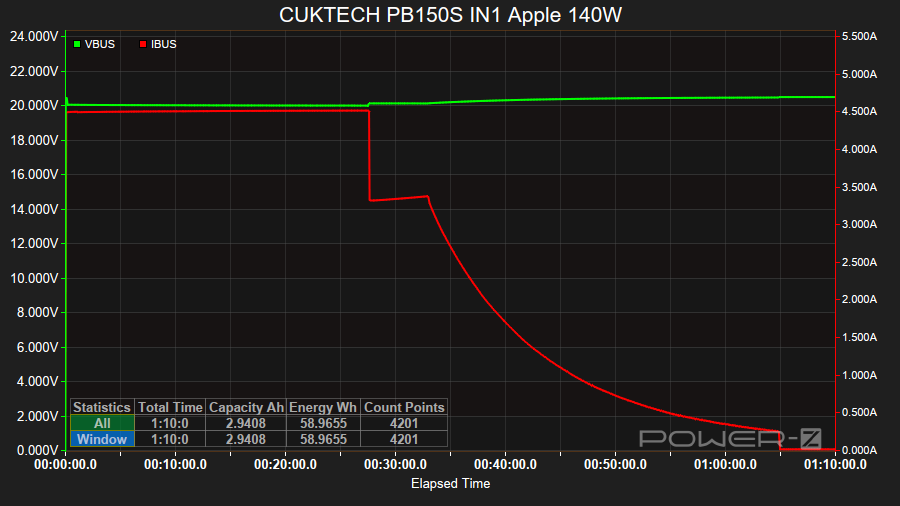
The input reached 90W (20V/4.5A) when I used an Apple 140W power supply to charge the powerbank with USB-C IN1 from 0% to 100%.
There was a step down from 20V/4.5A to around 15V/4.5A after 27 minutes.
The current gradually decreased after 32 minutes and the powerbank was fully charged within 1 hour 10 minutes.
Discharge tests#
CUKTECH PB150S USB-C OUT1 20V 4.5A#
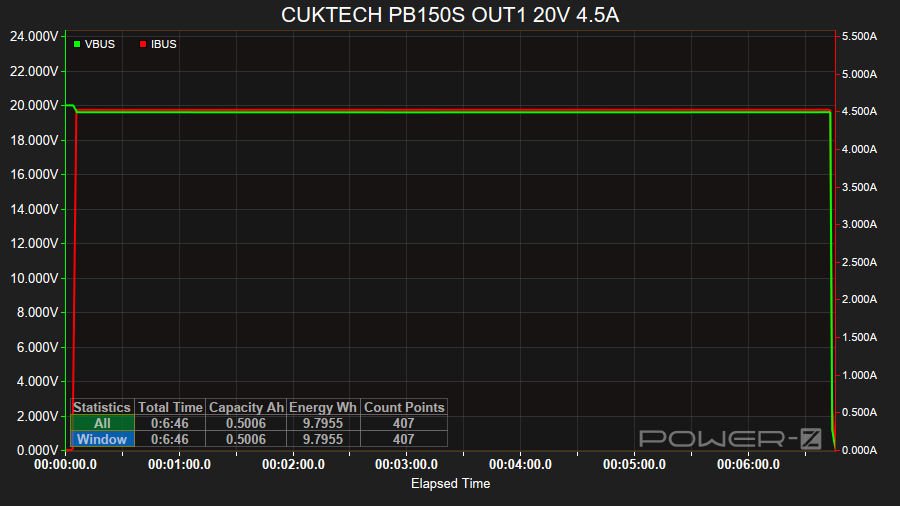
The powerbank was able to supply 90W (20V/4.5A) from USB-C OUT1 for 6 minutes before trying to step down.
The USB-C trigger board and the ALIENTEK EL15 electronic load did not negotiate a lower voltage so discharging stopped.
CUKTECH PB150S USB-C OUT1 11V 6.1A#

The powerbank was able to supply 67.1W (11V/6.1A) from USB-C OUT1 for 14 minutes before trying to step down.
The USB-C trigger board and the ALIENTEK EL15 electronic load did not negotiate a lower voltage so discharging stopped.
CUKTECH PB150S USB-C OUT1 20V 3.25A#
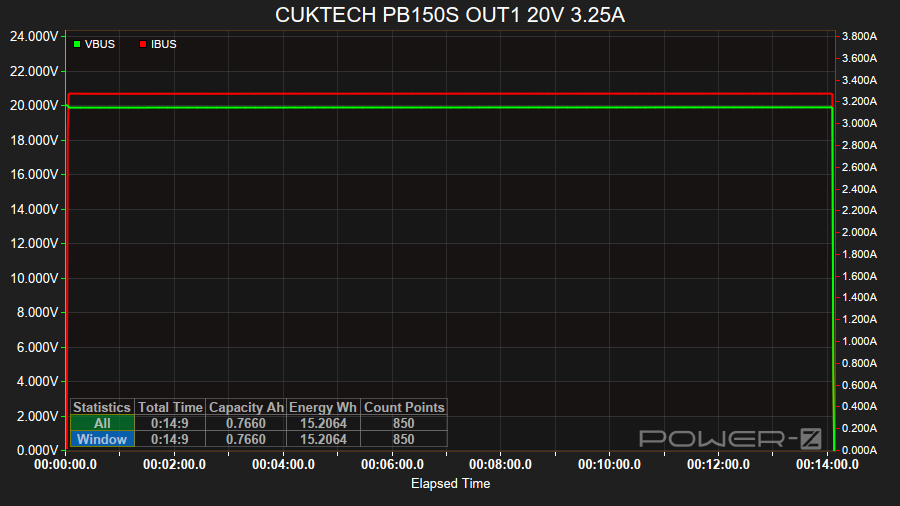
The powerbank was able to supply 65W (20V/3.25A) from USB-C OUT1 for 14 minutes.
The USB-C trigger board and the ALIENTEK EL15 electronic load did not negotiate a lower voltage so discharging stopped.
CUKTECH PB150S USB-C OUT1 15V 3A#
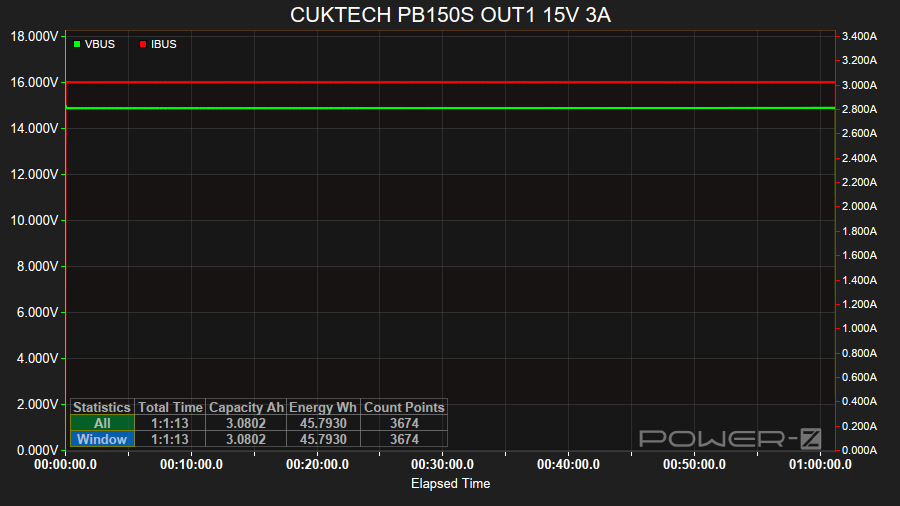
The powerbank was able to supply 45W (15V/3A) from USB-C OUT1 for 1 hour 1 minute with an efficiency of 78.51% (45.79 Wh).
CUKTECH PB150S USB-C OUT1 12V 3A#
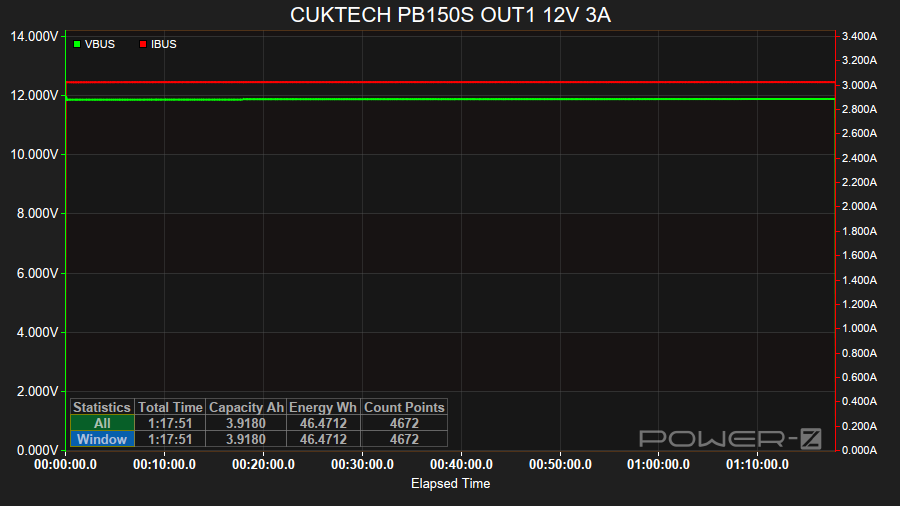
The powerbank was able to supply 36W (12V/3A) from USB-C OUT1 for 1 hour 17 minutes with an efficiency of 79.68% (46.47 Wh).
CUKTECH PB150S USB-C OUT1 9V 3A#
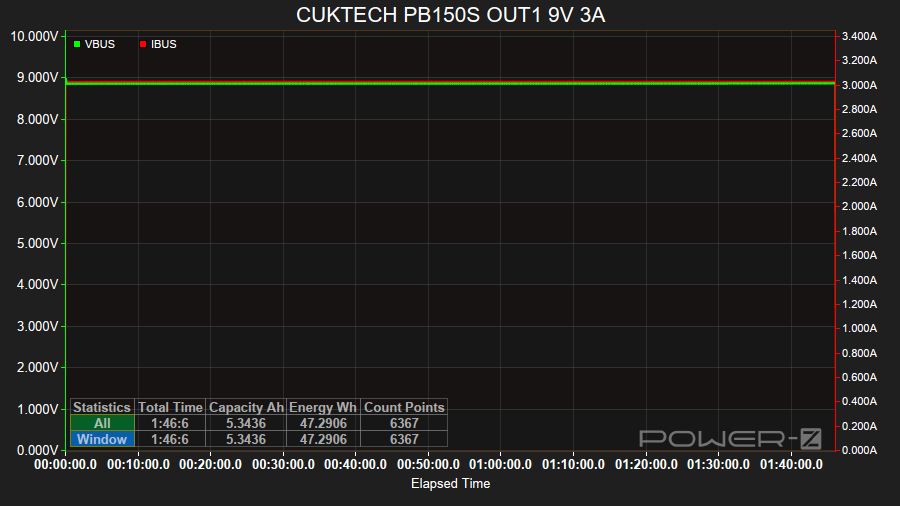
The powerbank was able to supply 27W (9V/3A) from USB-C OUT1 for 1 hour 46 minutes with an efficiency of 81.08% (47.29 Wh).
CUKTECH PB150S USB-C OUT1 5V 3A#
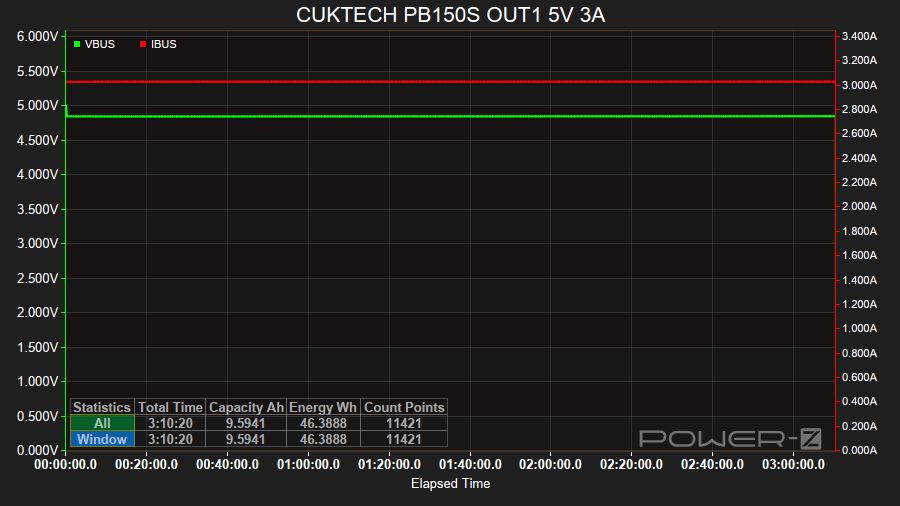
The powerbank was able to supply 15W (5V/3A) from USB-C OUT1 for 3 hours 10 minutes with an efficiency of 79.52% (46.38 Wh).
CUKTECH PB150S USB-C OUT2 11V 3A#
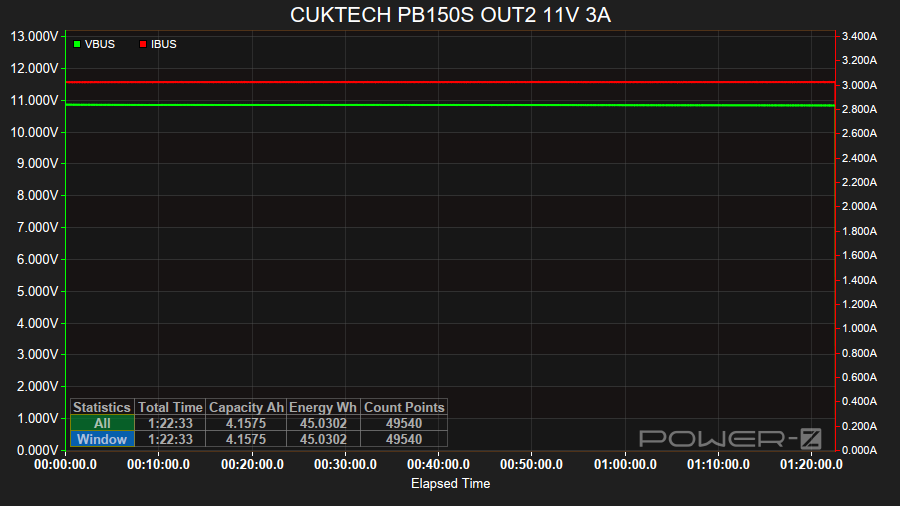
The powerbank was able to supply 33W (11V/3A) from USB-C OUT2 for 1 hour 22 minutes with an efficiency of 77.21% (45.03 Wh).
CUKTECH PB150S USB-C OUT2 9V 3A#
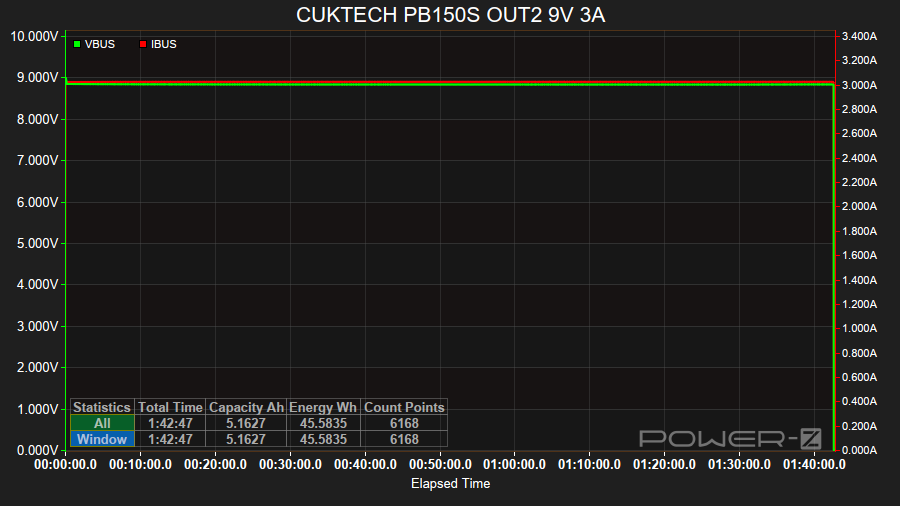
The powerbank was able to supply 27W (9V/3A) from USB-C OUT2 for 1 hour 42 minutes with an efficiency of 78.15% (45.58 Wh).
CUKTECH PB150S USB-C OUT2 5V 3A#
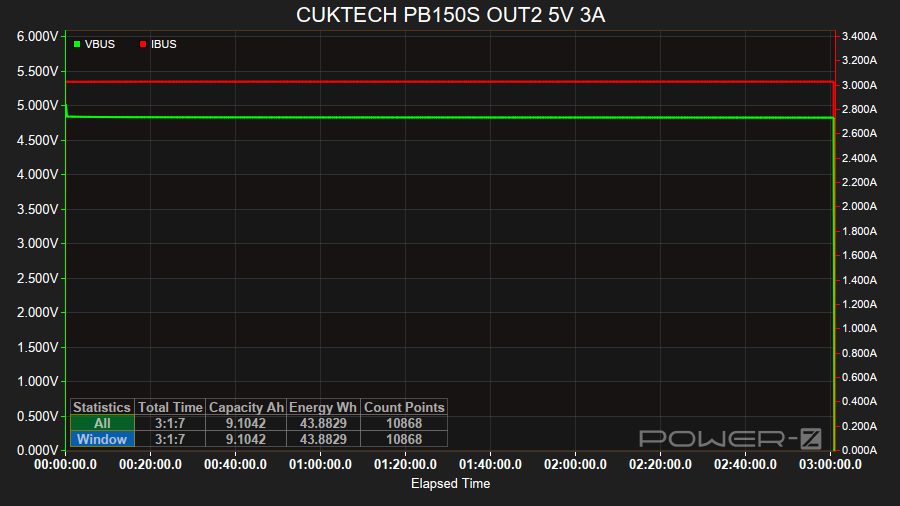
The powerbank was able to supply 15W (5V/3A) from USB-C OUT2 for 3 hours 1 minute with an efficiency of 75.24% (43.88 Wh).
CUKTECH PB150S USB-A OUT3 11V 1A#
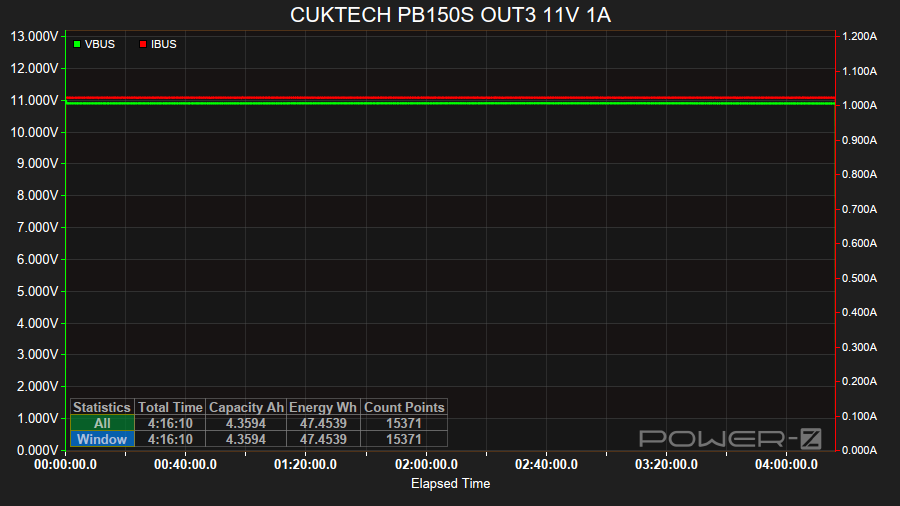
The powerbank was able to supply 33W (11V/1A) from USB-C OUT3 for 4 hours 16 minutes with an efficiency of 81.36% (47.45 Wh).
CUKTECH PB150S USB-A OUT3 9V 3A#
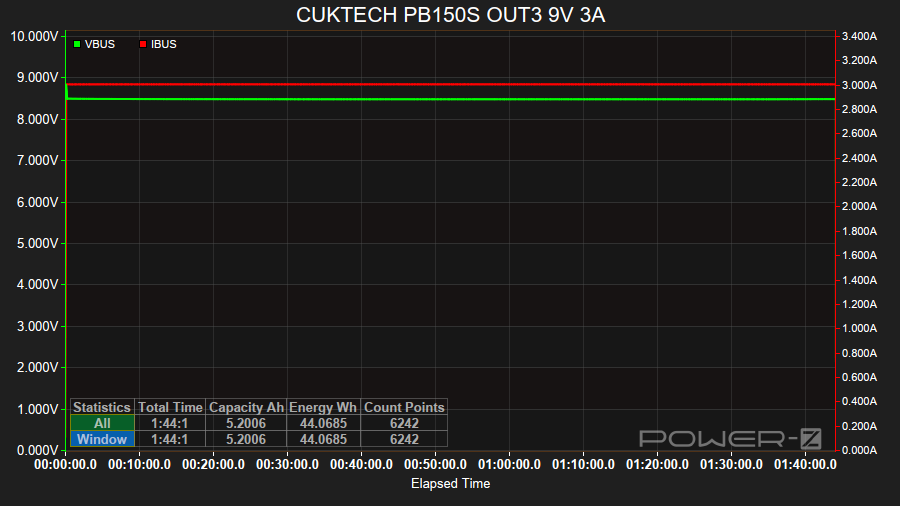
The powerbank was able to supply 27W (9V/3A) from USB-C OUT3 for 1 hours 44 minutes with an efficiency of 75.46% (44.01 Wh).
CUKTECH PB150S USB-A OUT3 5V 3A#
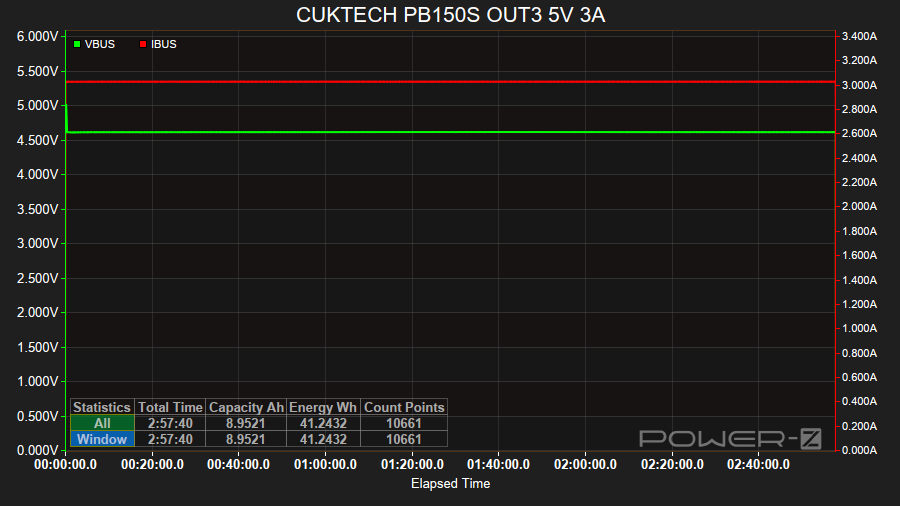
The powerbank was able to supply 15W (5V/3A) from USB-A OUT3 for 2 hours 57 minutes with an efficiency of 70.71% (41.24 Wh).
CUKTECH PB150S USB-C OUT1 Apple AirPods 4 ANC Case#
To test the low current discharge mode of the powerbank, I charged my Apple AirPods 4 ANC Case.
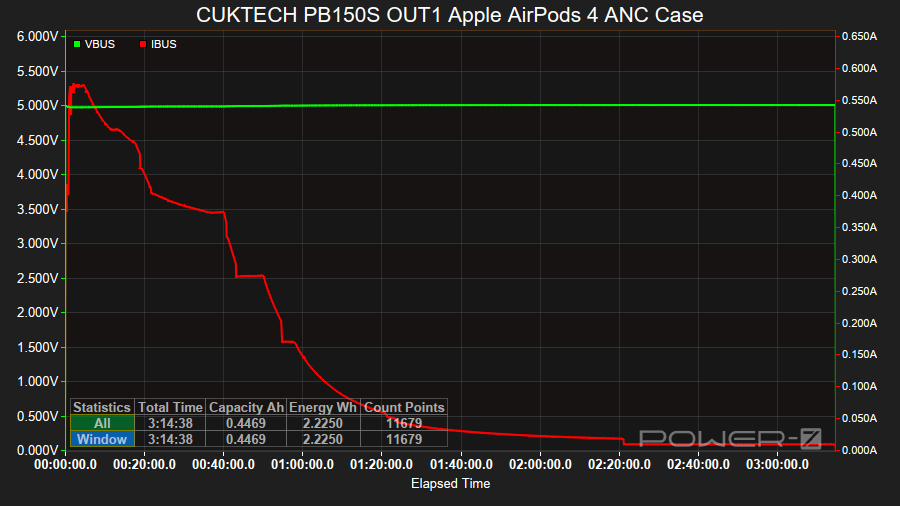
It took 3 hours 18 minutes to fully charge the Apple AirPods 4 ANC Case and AirPods from 1%.
The charge current started at less than 400mA, peaked around 570mA within the first few minutes, and then it stepped down a few times.
The current started dropping gradually from 150mA after 1 hour.
Charging stopped around 3 hours 18 minutes.
The powerbank was at 91% after fully charging the Apple AirPods 4 ANC case with AirPods inside.
Ripple#
To measure the ripple I used the VBUS Ripple mode on a ChargerLAB Power-Z KM003C Amazon Australia at 1M 25 µS, a ChargerLAB Power-Z SINK240 USB-C Trigger Board a board and an ALIENTEK EL15 electronic load. To measure 20V/4.5A I used a WITRN K2 to measure the ripple and a KM003C to trigger 20V/4.5A.
Ripple with no load#
| Port | Voltage | Current | mVp-p |
|---|---|---|---|
| USB-C OUT1 | 20V | 0A | 9 |
| USB-C OUT1 | 15V | 0A | 7 |
| USB-C OUT1 | 12V | 0A | 22 |
| USB-C OUT1 | 9V | 0A | 5 |
| USB-C OUT1 | 5V | 0A | 5 |
| USB-C OUT2 | 9V | 0A | 19 |
| USB-C OUT2 | 5V | 0A | 17 |
The lowest ripple is around 5 mVp-p for USB-C OUT1 when the output is 5V/0A.
The highest ripple is around 22 mVp-p for USB-C OUT1 when the output is 12V/0A.
USB-C OUT1
20V0A  | #########.....................  9 mVp-p
15V0A  | #######.......................  7 mVp-p
12V0A  | ######################........ 22 mVp-p
9V0A   | #####.........................  5 mVp-p
5V0A   | #####.........................  5 mVp-p

USB-C OUT2
9V0A   | ###################........... 19 mVp-p
5V0A   | #################............. 17 mVp-p
Ripple with a load#
| Port | Voltage | Current | mVp-p |
|---|---|---|---|
| USB-C OUT1 | 20V | 4.5A | 42 |
| USB-C OUT1 | 20V | 3.25A | 17 |
| USB-C OUT1 | 15V | 3A | 9 |
| USB-C OUT1 | 12V | 3A | 26 |
| USB-C OUT1 | 9V | 3A | 6 |
| USB-C OUT1 | 5V | 3A | 5 |
| USB-C OUT2 | 9V | 3A | 16 |
| USB-C OUT2 | 5V | 3A | 16 |
The lowest ripple is around 5 mVp-p for USB-C OUT1 when the output is 5V/3A.
The highest ripple is around 42 mVp-p for USB-C OUT1 when the output is 20V/4.5A.
USB-C OUT1
20V4.5A  | ################################.......... 42 mVp-p
20V3.25A | #################......................... 17 mVp-p
15V3A    | #########.................................  9 mVp-p
12V3A    | ##########################................ 26 mVp-p
9V3A     | ######....................................  6 mVp-p
5V3A     | #####.....................................  5 mVp-p

USB-C OUT2
9V3A     | ################.......................... 16 mVp-p
5V3A     | ################.......................... 16 mVp-p
Standby drain#
I did not notice any significant standby drain.
The powerbank displayed 100% after several days of being unplugged and off. That said, it will charge if I go to charge it. So the 100% being displayed might not be 100%.
Thermal Images#
Here is a video of powerbank while using a Thermal Master P3 to measure the surface temperature. Get 10% off the Thermal Master P3 with code Mcmahon10
Conclusion#
The CUKTECH 15 Air PB150S powerbank has made it through the first 12 months ok. The LiPo battery has not expanded yet and there does not appear to be much standby drain.
It is great for keeping my phone charged throughout the day.
It works ok in emergencies when I need to top up a laptop.
It would be even better if USB-C OUT2 supported the same discharging speeds as USB-C OUT1.
Pros:#
- CCC mark.
- 90W USB-C OUT1.
- 33W USB-C OUT2.
- 33W USB-A OUT3.
- Pass-through charging.
- Low Current Discharge Mode.
- Colour display.
- Simple to use.
- 0.35m USB-C to USB-C 6A cable with e-marker (50V 5A, 240W EPR).
Cons:#
- USB-C OUT2 only goes up to 11V/3A output.
Price#
I bought the CUKTECH 15 Air PB150S for AU$50 from Taobao.
Product page#
I may earn a commission if you use an affiliate link or a promo code. This will help fund future torch reviews and tutorials.